







Conversational AI is changing how businesses engage with customers. From answering FAQs to resolving support tickets across channels, Conversational AI automates conversations and personalizes every interaction. Let's explore what conversational AI actually does, how it works, and why businesses are adopting it in 2026.
The shift is significant: Gartner predicts that by 2027, AI agents will be the primary means by which about 25% of businesses handle customer service. This will make chatbots a key part of modern business strategy. We'll talk about what Conversational AI is, how it works, its benefits, and how you can use it in 2026 in this article.
What is Conversational AI?
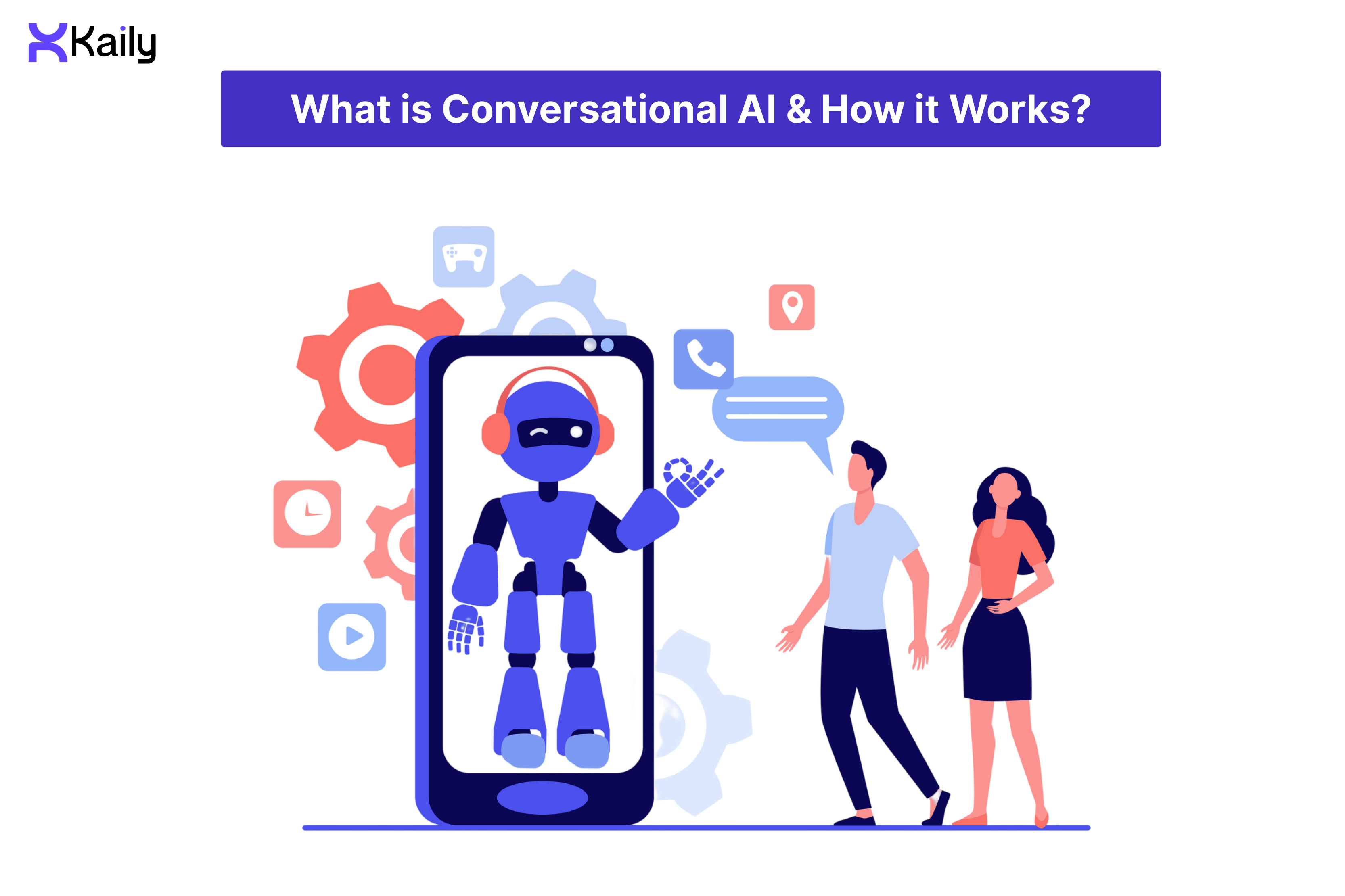
Conversational AI refers to a set of technologies that enable computers to understand and respond to questions or commands through text or voice, making conversations more natural and meaningful. It uses NLU, machine learning, and LLMs to help computers have human-like conversations.Unlike basic chatbots that follow rigid scripts, modern conversational AI adapts to your business, learning your brand voice, remembering customer context, and taking autonomous action.
Grand View Research predicts that the global conversational AI market will grow at a compound annual growth rate (CAGR) of 23.6% from 2023 to 2030. This is because more and more people want AI-powered customer support services.
Conversational AI is more advanced than regular chatbots. It understands context, remembers previous conversations, pulls real-time data, and handles tasks like updating orders or booking appointments.
The Evolution of Conversational AI
Conversational AI has come a long way from the time of basic scripted programs. Now, it can actually get things done. Here's how it evolved:
- The 1960s: ELIZA was one of the first programs that allowed users to have a conversation. It "talked" to users using simple scripts and pattern matching. It was simple, but it showed that machines could learn to understand human language.
- 1990s: Early business chatbots followed rigid rule-based systems. They could answer simple questions but were found to be stuck as soon as someone went off script.
- Machine Learning and Virtual Assistants in the 2010s: Machine Learning (ML) and Natural Language Processing (NLP) improved AI capabilities. Voice assistants like Siri and Alexa could understand natural language and learn from conversations, which is a big step up from fixed scripts.
- 2020s: AI agents can do a lot more than just answer questions. They can handle complicated workflows, work with business systems like CRMs and ERPs, and automate tasks across all channels.
How Conversational AI Works
Conversational AI works by quickly linking different technologies together to take in human input and give an innovative and relevant answer.
- Input Processing (Hearing/Reading): The system receives your input - text from chat or email, or voice that's converted to text using Speech-to-Text (STT) technology.
- Understanding (NLP/NLU): The machine figures out what a particular thing means.
- Natural Language Processing (NLP) looks at the grammar and structure of a sentence.
- Natural Language Understanding (NLU) looks at the text to figure out what the user wants to do (for example, I want to check my balance).
- Natural Language Processing (NLP) looks at the grammar and structure of a sentence.
- Dialogue Management: It uses machine learning models and pre-defined business logic to figure out what to do next. It keeps track of the conversation and decides whether to answer a simple question, execute a complex action (like connecting to a CRM), or pass the conversation on to a human agent.
- Response Generation (NLG/Generative AI): The system builds the answer after the action has been chosen. Natural Language Generation (NLG), which is often based on Generative AI (LLMs), generates an answer that sounds like a person, is grammatically correct, and fits the situation.
- Output Delivery (Speaking/Writing): The user gets the final answer. For text chats, it shows up right away. For voice interactions, a Text-to-Speech (TTS) engine turns the text response back into synthesized speech.
Types of Conversational AI
Conversational AI powers everything from basic chatbots to enterprise AI agents. It can also support a wide range of innovative and task-focused applications. Here's the spectrum:
- Chatbots: They’re mostly text-based tools that are often found on websites that are answering AI questions and redirecting support requests. AI chatbots use LLMs to respond to different types of queries in a humanlike manner.
- Voice Assistants: Systems like Amazon Alexa or Google Assistant that mostly communicate through voice can perform tasks like setting reminders, making calls, and controlling smart devices.
- Virtual Agents or AI: They do more than just chat; they’re integrated with back-end enterprise systems to automate end-to-end workflows. They function as full-fledged team members and thus, can handle complicated tasks across multiple channels like chat, voice, email, and WhatsApp.
- Copilots: AI tools integrated directly into an employee's workflow, like in Slack, a CRM, or a coding environment. They assist individuals by getting information, writing replies, or generating code, which significantly boosts productivity.
Top Benefits of Conversational AI

Deploying conversational AI to your business and integrating it with other systems can help everyone on your team work more effectively, which will help you scale faster and run your business more efficiently.
- Automation and Efficiency: AI agents resolve 80% of support tickets autonomously; they don't just answer questions, they fix problems. McKinsey reports businesses save 20-40% on support costs, freeing human agents to handle complex cases that need empathy and judgement.
- Scalability: AI agents can handle an unlimited number of conversations at once, 24/7/365. According to Juniper Research, chatbots saved businesses about 2.5 billion hours of work in 2023 by taking care of these tasks automatically. This means support scales instantly during peak season.
- Cost-Efficiency: Automating routine questions can save you money while maintaining excellent customer service and not having to hire and train new agents all the time.
- Personalization: Forrester studies show that companies that use AI-driven personalization get a good return on investment (ROI) because keeping track of past interactions through CRM integrations increases the value of each customer over time. This lets it make hyper-personalized suggestions and solutions that make customers satisfied and boost sales.
- Customer Satisfaction (CSAT): Quick, correct, and consistent answers that are available on the customer's preferred channel get rid of frustrating waiting times and significantly improve the overall customer experience.
- Autonomous Action with Accountability: AI agents don't just process requests, they own outcomes. They execute refunds, update CRMs, book appointments, and resolve issues end-to-end while maintaining complete audit trails. This lets your team focus on strategic work while AI handles execution.
Best Conversational AI Platforms
Businesses today need more than just a simple chatbot - they need an AI agent that automates workflows. They need a solution that is safe, can scale with their evolving needs, and can fully integrate and automate workflows. Here is a comparison of some leading platforms.
1. Kaily
It’s an advanced AI agent platform that automates customer support, sales, and marketing across chat, voice, email, and WhatsApp. No coding required. It connects directly to your current business systems, such as CRMs and Slack, to handle complicated workflows from start to finish.
Pros :
- End-to-End Automation: Can handle complicated and multi-step business processes across departments, unlike simple bots that only answer questions.
- Global Language Coverage and Unified Control: You can control all of your digital and voice interactions in more than 100 languages from a straightforward platform.
Cons :
- Too Powerful for Small Needs: It's best for businesses that need automation across many channels on a large scale. One may find it over-featured if they only need a very basic FAQ chatbot for a small website.
2. Kore.ai
A powerful no-code/low-code platform for creating intelligent virtual assistants (IVAs) that handle customer service, IT, and HR tasks for large businesses.
Pros :
- Very scalable: Made to handle high volumes of interactions for companies all over the world.
- Flexible AI Models: Allows businesses to use different Large Language Models (LLMs) to get the most effective results.
- Focus on Security: Offers strong security and compliance features that are very important for regulated industries like healthcare and banking.
Cons :
- Complexity: The platform has a lot of features, which can make it harder for business teams to learn how to use it.
- Cost: Large businesses usually get custom pricing, which may be too high for mid-sized or smaller organizations.
3. Google Dialogflow
Google Cloud has a strong Natural Language Understanding (NLU) service for making conversational interfaces.
Pros :
- Advanced Understanding: Has some of the most advanced technology for finding out what a user wants and what they're doing (intent and context).
- Seamlessly integrated with Google: Works perfectly with Google Cloud, including Contact Center AI tools.
- Flexible Deployment: Great for projects that need a lot of customization and control over the code and APIs.
Cons :
- Heavy-coded: To build advanced features like updating a CRM or checking order status requires you to be a good coder and have access to developer resources.
- Scaling that comes at a heavy cost: When there is a high volume of voice traffic or requests, usage-based pricing can quickly get expensive.
4. IBM WatsonX Assistant
A powerful AI solution that uses advanced language models to create secure, compliant, and highly governed assistants, especially in regulated industries.
Pros :
- Highest level of security and governance: Great for the finance and healthcare industries, as it focuses on data security, compliance, and auditing.
- Proven Stability: The platform has a long history of being very reliable and is built to handle substantial operations and heavy traffic without failure.
- No-Code Builder: It lets you build and manage conversations without having to write code.
Cons :
- Initial Setup Time: The focus on governance and customization can make the initial setup and implementation more time-consuming.
- Integrating with non-IBM tech: It may take more work to connect with systems that aren't part of the IBM ecosystem.
5. Yellow.ai
An AI-powered customer experience platform. It automates interactions across 100+ channels using proprietary multi-LLM architecture.
Pros :
- Provides Exceptional Multilingual Support: Designed to support and deliver effective customer communication that is very accurate and smooth in a wide range of regional languages.
- Focus on Customer Experience (CX): Provides a unified approach for handling customer journeys, including conversational commerce and sales.
- Pre-Built Templates: Gives you templates to quickly set up bots for everyday business and use-case needs.
Cons :
- Pricing: Enterprise pricing is usually quote-based, making it difficult to estimate costs upfront.
- Core Focus: Less optimized for complex back-office or internal employee automation compared to platforms specializing in those areas.
6. Cognigy.AI
A low-code platform specializing in creating and deploying AI Agents specifically for customer and agent interactions in advanced contact centres.
Pros :
- Contact Centre Specialist: Built with powerful tools to efficiently handle a lot of customer service requests over the phone and online.
- Low-Code Deployment: Easy-to-use visual interface allows business users to quickly build and manage complex conversational flows.
- Assists Agent: Excellent tool for giving human agents help and information in real time during live chats or calls.
Cons :
- Narrow Focus: Best suited for customer service automation but less featured for broader and cross-enterprise workflow automation.
- Voice Complexity: It’s excellent for voice, but optimizing advanced voice routing and telephony needs specialized knowledge.
7. LivePerson
A well-known business platform for managing conversations between customers, bots, and human agents over voice and digital messaging channels.
Pros :
- Human-AI Collaboration: The best company in the business at making it easy for conversations to move back and forth between a bot and a human agent.
- Conversational Commerce Focus: Features designed to drive sales, leads, and revenue directly through messaging.
- Flexible Integration: Built to work well with the contact centre infrastructure you already have, so you don't have to completely change your system.
Cons :
- Core Focus on Human Handoff: Since its design focused on managing conversations between people and bots, it doesn’t always have as many features for automating complex, end-to-end workflows as platforms designed exclusively for AI Agents.
- Pricing: Can be costly due to its comprehensive and feature-rich suite designed for large-scale enterprise deployments.
Conversational AI Use Cases & Examples
Conversational AI is an essential tool that is quickly changing how businesses communicate with customers and employees. It's transforming all primary business functions.
- Customer Service: Conversational AI agents help customer 24/7/365, so they don't have to wait. These agents handle everything from simple FAQs to complex transactions. AI agents can provide high-quality service by automating tasks such as processing returns, checking warranties, and troubleshooting simple problems. This lets human agents focus on more complicated, sensitive, or valuable cases.
For example: an AI voice agent can check a customer's identity over the phone and handle a request for a flight change or refund without any human intervention.
- Retail and e-commerce: AI agents make shopping experiences better, which contributes to more sales and better support after the sale. They go beyond just keeping track of orders to offer personalized shopping advice, check availability, and get customers to buy more.
For example: a WhatsApp bot keeps track of a customer's most recent purchases and automatically sends them a personalized discount code for related items or answers questions about product specifications and size guides. - HR (Human Resources): Internal AI agents help employees with administrative tasks by acting as a digital HR assistant that never gets worn out. This automation takes a lot of work off of HR staff, letting them focus on broad objectives like building a strong culture and developing talent. Bots in Slack or Teams can quickly reset passwords or check PTO balances. Gartner says that using AI "copilots" within the company can boost the productivity of tech workers by as much as 30%.
For example: an HR bot that you can access through Slack or internal chat can quickly answer complex inquiries from employees about benefits enrollment, company policy details, or paid time off (PTO) balances. It can even start the process for an internal transfer request. - Healthcare: AI agents in healthcare make it easier for patients to get care, keep track of appointments, and answer administrative questions, while ensuring everything remains secure and compliant. They make sure that important information is sent quickly and correctly, which makes it easier for clinical staff to do their jobs.
For example: a secure voice agent can handle high-volume patient calls for booking, rescheduling, or cancelling appointments and send them instructions or forms they need before their visit through a secure link. - Sales & Marketing: Conversational AI is very important for finding, qualifying, and nurturing leads. Agents interact with website visitors right away, get important information, and make sure that sales teams only spend time on high-quality and pre-vetted leads.
For example: a chatbot interacts with a website visitor, figures out how big their company is and how much capital they have, finds out what products they’re interested in, and then automatically adds an inquiry call to the sales rep's calendar through CRM integration. - IT Support: Internal IT support bots are the first line of defense against technical problems. They fix issues right away and on their own. This cuts down on the number of support tickets by a lot and improves employee productivity.
For example: an IT support agent can fix common problems like resetting passwords, unlocking accounts, or fixing network connectivity issues right through an employee's instant messaging app, such as Teams or Slack.
Conversational AI vs. Generative AI: What's the Difference?
People often talk about them together, but they have different primary responsibilities. Conversational AI is like the "brain" that knows how a conversation works and flows, while Generative AI is like the "engine" that makes the actual words or creative content.
The most powerful platforms in 2026 won't make you pick one; rather, they will use a hybrid approach.
For instance: when a customer asks a question, Conversational AI figures out what they want to know (for example, "I need a refund"). After that, it starts a process to check the status of the order. Lastly, Generative AI uses the raw data to write a polite and human-sounding response that fits the brand's style. Businesses can get the structure and safety of Conversational AI along with the flexibility and creativity of Generative AI, by putting these two together.
How to Choose a Conversational AI Platform: Evaluation Framework
Different platforms are built in different ways. A high-ROI agent and a frustrating chatbot are not the same thing, even though many people say they use "Advanced AI." The difference is in the infrastructure. Forrester says that 54% of customers get upset when an AI can't answer simple questions because it doesn't understand what they mean.
Use the following framework to evaluate vendors during your discovery phase:
Red Flags to Watch For
When interviewing vendors, keep an eye out for these common red flags:
- No Benchmarks: If a vendor can't give you information about how accurate or high-resolution their model is, it might not be proven.
- "Black Box" Logic: You should be able to see clearly why the AI gave a certain answer. Don't use platforms that don't have clear audit logs or don't let you see them.
- No API Access: If you can't export your data or connect to tools made by other companies, you are "vendor locked in," which makes it harder to grow in the future.
- Unclear Data Ownership: Make sure your contract clearly says that you own the data that was used to train your custom model.
How to Implement Conversational AI?
Using conversational AI isn't as easy as just plugging in a tool; it requires a planned and step-by-step process.
- Set Your Goal: To begin, figure out which workflows you want to automate that are repetitive and will have the most impact. For example, you can automate password reset or tracking-related question inquiries.
- Choose the Right Platform: Pick a platform that meets your needs for security, ease of use, integration, and channel coverage (chat, voice, WhatsApp). An AI Agent platform is necessary for automating business processes.
- Integrate and train: Link your central systems (CRM, CMS, ERP) to the AI platform. Use your current knowledge base, past chat logs, and business documents to train the AI Agent so that it’s correct and in line with your brand.
- Plan the Conversation Flow: Use a visual builder to plan out the whole conversation. This makes sure that transitions go smoothly, tells you exactly when to hand off to a human, and lets the agent perform tasks in your internal systems.
- Pilot and Measure: Start with a small group or channel. Pay close attention to essential data such as the Automation Rate, CSAT Score, and Resolution Time.
Challenges in Conversational AI Adoption
Even though the benefits are immense, businesses need to tackle typical challenges to successfully adopt AI conversation.
- Training and Data Quality: Your training data determines AI agent quality and will give you an edge in the market. Knowledge bases that are poorly organized, incomplete, or out of date can give wrong answers and make customers frustrated.
- Integration Complexity: It can be hard to integrate a new platform into an established IT stack (like CRMs and ERPs), and if it's not done right, it can make the customer experience less smooth.
- Managing Customer Expectations: Customers have high hopes for modern AI after years of dealing with chatbots that were just not enough for evolving customer needs.
- Security and Compliance: When you handle sensitive customer data, you have to follow strict security rules like GDPR, HIPAA, and SOC 2. These certifications should be at the top of the list for enterprise-grade platforms.
- Organizational Buy-in: To get people on board, especially human agents who are afraid of losing their jobs, you need to make it clear that the AI is there to assist them and not replace them.
The Future of Conversational AI: 2026 and Beyond
In the next two years, AI will go from merely chatting to doing things. McKinsey states that 2026 is the year of "AI Transformation." By then, almost 40% of companies will have already started using autonomous AI agents that can plan and carry out multi-step workflows.
Emerging Trends for 2026
- The Rise of Agentic AI: We're moving past just asking and answering questions. "Agentic AI" means systems that can set their own goals, get data, and do things like processing a full refund or rescheduling a flight without the need of human intervention. Gartner says that by 2026, 30% of new apps will have built-in autonomous agents.
- Multimodal Interactions: AI today can do more than just read text. It can now "see" screenshots, "hear" tone of voice, and "read" complicated PDFs. By 2026, 30% of AI models will be multimodal. This means that customers will be able to send a picture of a broken product and get troubleshooting steps right away through voice or chat.
- Emotional Intelligence (Affective Computing): Modern technology can now tell when someone is angry, sarcastic, or happy in real time. Studies show that chatbots that can understand emotions can raise customer satisfaction scores (CSAT) by as much as 22% by changing their tone to match how the user is feeling.
- Proactive Engagement: Instead of waiting for a customer to complain, AI will use "predictive support." For example, if a shipment is late, the AI will send a WhatsApp message to the customer with a discount code before they even check their tracking link.
Market Projections
The effects of these trends on finances and operations are huge:
- Market Growth: Grand View Research says that by 2030, the global conversational AI market will be worth $41.39 billion, growing at a massive annual rate of 23.7% every year.
- Widespread Adoption: MarketsandMarkets says that by the end of 2026, 60% of healthcare, finance, and retail businesses will use AI.
- Operational Efficiency: Juniper Research says that by 2026, AI will save the retail industry alone more than $12 billion a year as it becomes more independent.
Security and Compliance as Foundation
As AI agents gain autonomy, security isn't an add-on; it's foundational. Leading platforms like Kaily are built with SOC 2 Type II compliance, end-to-end encryption, and granular access controls from day one. By 2026, Gartner predicts 80% of enterprise AI implementations will require zero-trust architecture, making security-first design a competitive necessity.
Conclusion: Ready for Conversational AI in 2026?
Conversational AI has come a long way and is now a fully developed technology. With Gartner forecasting that AI adoption in customer service will increase by 80% over the next two years, the time to implement is now. The rise of advanced AI agents marks an essential transition from simple text chat to real workflow automation across all channels, including voice, chat, email, and WhatsApp.
Companies that use these advanced platforms to provide instant, personalized, and seamless experiences on a large scale will have the edge in the coming years.













.png)

