






Your customer service team is dealing with more complexity today than they did at any point in the last five years. Today, customers are asking a lot of big questions, using a lot more channels - expecting you to be present on them 24*7 so that their wait time is next to negligible. The worst thing is that if your team takes even five long minutes to reply, customers will switch to your competitor.
This expectation to get a personalized response 24*7 has brought AI tools for customer service to its tipping point. Businesses are no longer talking about simple chatbots that respond according to FAQs; they are exploring AI copilots that draft answers in real time, voice AI that manages entire conversations, predictive systems that flag complaints before they happen & sentiment models that instantly understand customer emotions.
Teams that are early adopters of these tools are already seeing the difference - faster replies, smoother workflows, happier customers & reduced pressure on the teams & since automation in customer service reduces cost without impacting quality, AI is becoming a competitive advantage in every industry.
In this guide, we will walk you through everything you need to know about what these tools are, how they work, the types you should consider, which platforms are leading the market in 2026 & how to choose the right one for your business. By the end of it, you will get a clear roadmap to building a future-ready customer service operation that scales effortlessly.
What are AI Tools for Customer Service?
AI tools for customer service are technologies that use artificial intelligence to automate, enhance, or support customer interactions across digital & voice channels. Their USP lies in the capabilities to understand natural language, detect intent, analyze sentiment, pull information from internal systems & provide instant responses that make customer service smarter, faster & easier to scale.
Customer service facing AI tools are not limited to chatbots anymore; the ecosystem now includes -
- AI-powered help desks that classify & route tickets
- Conversational AI platforms that replace traditional IVRs
- Agent copilots that assist human agents in real time
- Voice AI that handles phone conversations
- AI knowledge engines that draft & refine support responses
- Predictive analysis tools that identify customer behavior patterns
AI platforms like Kaily helpdesks are redefining how support teams operate at scale. By automating nearly 85% of routine actions, these systems free agents from repetitive tasks, enabling 2x faster ticket resolution and noticeably quicker first responses without increasing headcount.
In the modern support environment, these tools are functioning like a digital workforce operating alongside humans by handling high-volume, repetitive conversations - “Where is my order?”, “How do I reset my password?” “What is the refund policy?” & leave the nuanced, relationship-driven tasks to the team.
AI tools transform support from being a reactive function to a proactive advantage, instead of waiting for an issue to escalate, AI identifies customer friction early, spots negative sentiments instantly & escalates high-risk conversations to human agents before they become problems. Because of this, as customer expectations rise, companies that use AI will be able to deliver fast, personalized experiences at scale.
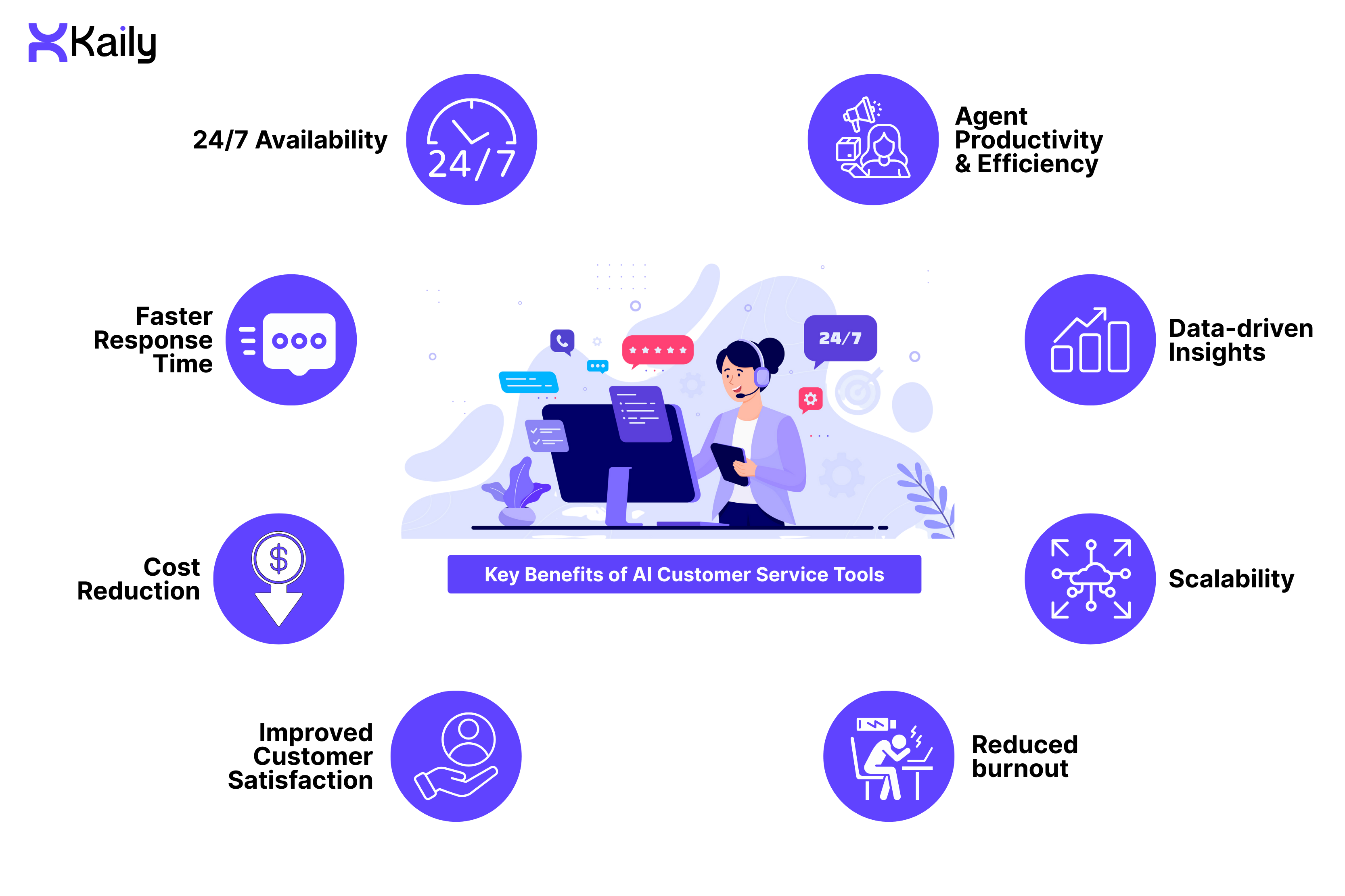
Key Benefits of AI Customer Service Tools
- 24/7 Availability
AI tools give your business the power to support customers anywhere, anytime, so instead of relying on overnight staffing or multiple regional teams, AI offers a consistent, round-the-clock coverage. This comes in handy for companies that serve global markets, high-volume e-commerce stores & subscription-based businesses where customers expect immediate replies & with AI managing after-hours queries, your team can focus on high-impact interactions during work timings. This always-on availability guarantees trust, reduces the wait time & ensures that there is no customer message that goes unanswered.
- Faster Response Time
Speed is one of the biggest customer satisfaction drivers & AI only improves it further by interpreting questions, pulling out relevant information from the knowledge bases & responding in seconds - even in the peak hours. In instances where the AI agents have to step in, AI copilots draft replies, summarize conversations & surface the right resources, which lowers the resolution time by almost 30-50% in teams - a situation that doesn’t just improve CSAT but also reduces ticket backlogs, lowers frustration & keeps customers engaged. In this scenario, support teams adopting tools like Kaily helpdesks are able to gain a clear operational advantage. Faster response times, 2x quicker resolutions, and a 20% uplift in CSAT demonstrate how automation and insight-driven routing improve both agent productivity and customer trust.
- Cost Reduction
AI drastically brings the cost of running customer support down. Instead of increasing the headcount as the customer base grows, AI takes care of repetitive queries & enables small teams to manage large volumes - this doesn’t just lower outsourcing expenses, onboarding costs & the need for seasonal hiring but also helps businesses scale instantly & eliminate lags, expenses associated with training new employees.
- Improved Customer Satisfaction
The moment customers get faster, clearer answers, their satisfaction levels rise instantly. AI does all of this while ensuring consistent communication, avoiding human errors & personalizing replies on the basis of context & history. Moreover, its sentiment-aware systems help detect frustration early, flag conversations that need escalation & adjust messages’ tone instantly. The result is that customers feel understood & supported while the customer support teams drive higher NPS & CSAT scores.
Brands using AI helpdesks such as Kaily’s see measurable gains in both efficiency and customer satisfaction. With 2x improvement in first response time and up to 20% increase in CSAT scores, support teams can deliver faster, more consistent experiences across channels.
- Agent Productivity & Efficiency
AI shifts agents from repetitive, low-value tasks to meaningful work. This way, instead of manually typing similar replies every day, agents get suggested responses, auto-summarized charts & instant search results from the internal knowledge databases - leading to reduced mental fatigue, expedited onboarding for new hires & helping every agent perform at a higher level. Over time, teams start handling more complex cases without increasing the work hours or stress.
- Data-Driven Insights
Every customer conversation is filled with valuable insights & AI helps teams capture them at scale by analyzing thousands of interactions to uncover trends - common complaints, product issues, rising sentiment shifts & gaps in customer journey. Instead of depending on occasional manual reviews, teams get continuous data which informs them of product development, UX updates & operational improvements - insights that help companies make informed decisions & respond proactively to customer needs.
- Scalability
Support volumes rarely grow at a predictable speed - some weeks are quiet, while others see a dramatic spike. AI tools can absorb these fluctuations effortlessly, whether you receive 500 queries a day or 50,000. This flexibility is essential for eCommerce brands, SaaS companies & businesses experiencing surges in holidays, promotions, or launches.
- Reduced Burnout
Customer service roles can be extremely exhausting, with high query volumes, demanding customers & repetitive tasks creating a lot of burnout over time. AI lowers this pressure by taking care of the repetitive, energy-draining parts of the job. This way, agents are able to focus on meaningful interactions such as solving complex issues, building relationships & using skills that matter. Thus shift lowers trust & attrition while creating a more sustainable workload. Ultimately, happier agents deliver better experiences, which creates a positive cycle for the complete support team.
Types of AI Customer Service Tools
- AI Chatbots & Virtual Assistant
These platforms are the most common way businesses introduce customer service chatbot automation. Over time, they have evolved from basic FAQ responders into intelligent systems that are capable of understanding intent, managing multi-step tasks, completing transactions & escalating conversations when needed. These assistants are designed to operate across websites, mobile apps, messaging platforms & even within product interfaces, giving your customers immediate answers & reducing the dependency on human agents for routine interactions.
- AI-Powered Help Desk Software
AI-backed help desk platforms modernize traditional ticketing by introducing intelligence directly into the workflows. These tools classify issues automatically, route tickets on the basis of context, suggest replies & surface relevant information to agents without any manual searching. By merging automation with structured ticket management, these platforms help teams respond faster & maintain consistency at scale while lowering repetitive administrative tasks.
- Conversational AI Platforms
These are engineered to manage natural, multi-turn interactions that need context retention & deeper understanding. Moreover, they support richer dialogues across voice & chat channels that make it easy for customers to troubleshoot issues, explore product opinions, or complete processes in a conversational format. Ultimately, these platforms go much beyond scripted flows by using natural language understanding to interpret the nuances & adjust responses dynamically.
- AI Copilots For Agents
They work alongside human agents to improve productivity by providing real-time suggestions, summarizing conversations, drafting responses & retrieving relevant knowledge. Instead of the customer experience team jumping between tools & searching through cluttered documentation, Copilots streamline decision-making& lower cognitive load. For growing teams, these platforms are able to create a more consistent & efficient agent experience.
- Sentiment Analysis Tools
Sentiment analysis tools analyze customers' tone, messages & behavioral cues to determine the users' emotions and intent, while they help support teams understand when a customer is frustrated, confused, or at risk of escalating, which allows managers to respond with the right tone & urgency. These insights feed into customer experience analysis & quality programs to reveal patterns that are not always obvious through a manual review process.
- Voice AI & IVR Systems
The tools modernize phone-based support by replacing rigid, menu-driven IVR systems with conversational voice assistants to then recognize natural speech, authenticate callers, route queries intelligently & resolve issues without human intervention. For companies having call-heavy workflows, voice AI brings speed, automation & a natural customer experience to every single one of the business-customer touchpoints.
- AI knowledge Management
These systems transform static business documentation into a dynamic, self-updating knowledge library that organizes information from product guides, manuals, historical tickets & internal notes that make it easier for both agents and customers to find accurate answers. These platforms continuously learn from refining articles, new interactions, generating drafts & improving relevance over time.
- Predictive Analytics Tools
These tools make use of historical & real-time data to forecast support trends, identify potential issues & highlight customers who need immediate attention. They help teams anticipate volume spikes, recognize early signs of churn & uncover the recurring product problems - helping businesses identify patterns across conversations in a way that supports better planning, resource allocation & proactive outreach. Modern AI helpdesks aren’t just about speed, they directly impact retention. Platforms like Kaily helpdesk enable reduced customer churn by as much as 15%, combining intelligent automation with timely human handovers to resolve issues before frustration builds.
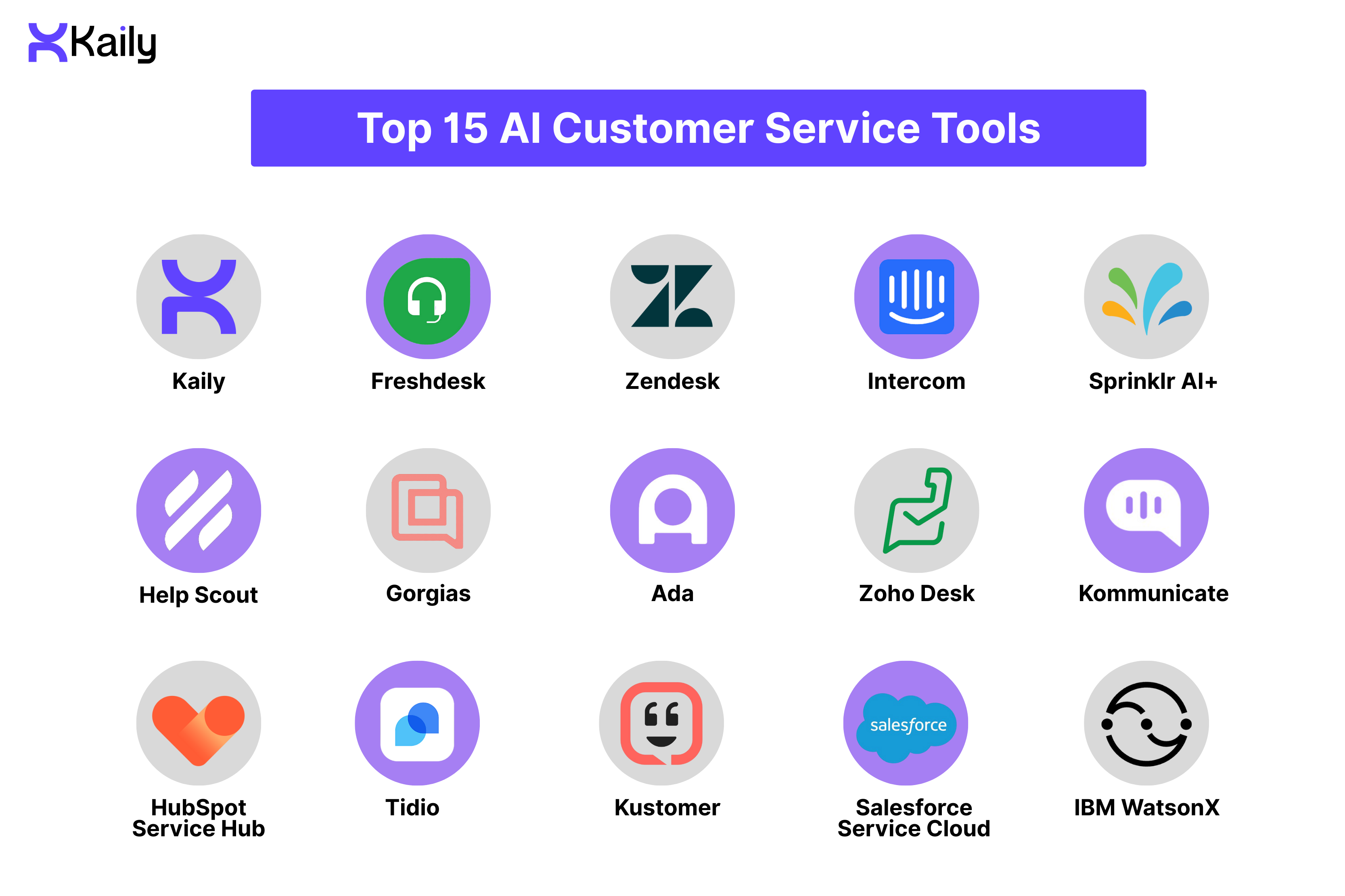
Top 15 AI Customer Service Tools Compared
Detailed Customer Service Tools Reviews
1. Kaily
It is an AI-first conversational platform that works for teams that want a fast time-to-value chatbots & virtual AI assistants. It emphasizes low-code deployment, knowledge integration & conversational analytics to support both customer-facing bots & internal agent copilots.
Key Features:
- Low-code conversational builder
- Intent recognition & entity extraction
- Knowledge-base integration & retrieval
- Conversation analytics & reporting
Pros:
- Fast setup & low-code approach for non-technical users
- Good for branded contextual bot experiences
- Integrates with CRMs & knowledge bases
Cons:
- Enterprise-grade governance features may be limited compared to legacy players.
- Less pricing transparency for smaller teams
Best For:
- Small businesses looking for a quick, branded bot deployment
- Mid-market teams that need low-code conversational tooling
- Product teams experimenting with self-service flows
2. Freshdesk
Freshdesk is a widely used helpdesk that combines ticketing with AI features under its ‘Freddy’ brand. It balances the ease of use with robust automation - making it popular among SMBs looking to scale into the mid-market segment. The platform provides agents' assistance in ticket triage & knowledge suggestions so that the teams are able to respond faster while maintaining service quality.
Key Features:
- Freddy AI copilot
- Automated ticket classification & routing
- Knowledge-base suggestions & answer recommendations
- Basic predictive analytics for ticket prioritization
Pros:
- Strong balance of usability & features
- Great integration ecosystem & low onboarding friction
- Cost-effective entry plans for growing teams
Cons:
- Advanced Freddy features may need higher-tier plans
- Some larger enterprises complain about the lack of configurable platforms
Best For:
- SMBs and mid-market teams who need a full helpdesk with built-in AI
- Organizations that need a quick time-to-value without any heavy customization
3. Zendesk
Zendesk is an enterprise-class customer service platform having a very mature feature set for omnichannel support. The platform’s AI capabilities focus on knowledge management, automated responses & workflow automation backed by a large app marketplace & governance tools, making it well-suited for organizations working with complex workflows & compliance needs.
Key Features:
- Automated answer suggestions & knowledge-driven responses
- Ticket triage & routing automation
- Workforce optimization & QA tooling
- Contextual help for agents
Pros:
- Enterprise-grade scalability & extensive integrations
- Strong knowledge management & governance features
- Large partner ecosystem & marketplace
Cons:
- Tend to become expensive as more AI modules & add-ons are introduced
- Customizations may need implementation resources
Best For:
- Enterprise teams that need robust integrations & governance
- Companies with multi-channel support & complex routing needs
4. Intercom
Intercom emphasizes conversational experiences & agent productivity with a strong developer toolset. Every single one of its AI offerings - focus on agent copilot functionality, automated resolutions & in-product messaging- makes it a favorite among product-led companies looking for seamless in-app support.
Key Features:
- Agent Copilot & suggested responses
- Resolution automation
- Conversation lifecycle automations & message optimization
Pros:
- Excellent conversational UX & developer APIs
- Strong agent productivity gains with the Copilot features
- Flexible pricing models for AI-powered resolutions
Cons:
- It can be expensive for high-resolution volumes
- Advanced features became add-on cost items
Best For:
- Product teams & SaaS companies that prioritized in-app conversational support
- Teams wanting developer-first customization of their conversational UX
5. Sprinklr AI+
Sprinklr is an enterprise-level CX platform that combines social, service & experience management with its AI-powered moderation & orchestration. The platform’s AI+ suite focuses on omnichannel coverage, which includes social listening, automated moderation & agent assistance - positioning it strongly for global brands with high-volume social & support needs.
Key Features:
- Omnichannel orchestration & social listening
- Automated moderation & compliance scoring
- Agent copilot & conversation summarization
Pros:
- Strong for social & service convergence at scale
- Enterprise-grade governance & compliance tools
- Real-time analytics & quality scoring
Cons:
- Enterprise complexity & implementation effort
- Pricing is typically enterprise-level
Best For:
- Large enterprise needing integrated social & service capabilities
- Brands requiring compliance, moderation & global coverage.
6. Help Scout
Help Scout is a clean, intuitive helpdesk that is tailored to small & mid-sized teams that emphasize human-centered support while offering AI-assisted productivity features like suggested replies, inbox automation & knowledge integration. The intent of the platform is to keep email-first workflows efficient without any heavy complexity.
Key Features:
- Suggested replies & reply templates
- Automated ticket categorization & workflows
- Knowledge base suggestions inside the box
Pros:
- Simple UI & fast onboarding
- Great for email-centric support models
- Predictable pricing for smaller teams
Cons:
- Less suitable for large, complex enterprises
- Advanced automation capabilities may be limited compared to other enterprise-serving competitors.
Best For:
- Small startups & businesses wanting uncomplicated helpdesk operations
- Teams prioritizing email-based customer service with light automation
7. Gorgias
Gorgias provides eCommerce support with deep platform integrations & automation that targets order management, returns & transactional inquiries. Its automation & AI features are designed to help merchants resolve common issues quickly & perform actions directly from the ticket view.
Key Features:
- Rule-based automation for eCommerce flows
- Macros & templated replies with AI suggestions
- Direct integrations to commerce platforms for order lookups
Pros:
- Excellent e-commerce platform integrations
- Reduced manual steps for order-related queries
- Fast to set up for online stores
Cons:
- Less suited for non-ecommerce verticals
- Advanced enterprise features are very limited.
Best For:
- eCommerce brands that need tight platform automation & integrations
- Merchants aim to lower the time-to-resolution for order queries.
8. Ada
Ad is a leading conversational AI platform that focuses on self-service automation with a no-code builder that supports omnichannel deployment. The tool aims to deliver high automation rates, reduce the need for agent intervention while providing strong analytics for continuous optimization.
Key Features:
- No-code conversation authoring & flow builder
- Omnichannel deployment
- Automation analytics & performance dashboards
Pros:
- Excellent at large-scale automation & self-service
- Strong governance & compliance for enterprises
- Built-in analytics to drive improvements
Cons:
- Enterprise pricing & implementation scope are very large
- It is kind of an overkill for very small teams
Best For:
- Enterprises aiming to maximize self-service automation
- Teams that need robust analytics & governance
9. Zoho Desk
Zoho Desk is a cost-effective helpdesk inside the larger Zoho ecosystem, delivering AI features for reply suggestions, ticket triage & sentiment detection. It is one of the most practical options for teams that are looking for an integrated CRM & support tool at a low price point.
Key Features:
- AI assistant for suggestions & intent detection
- Sentiment detection & ticket prioritization
- Automated routing & workflow automation
Pros:
- Affordable entry price & integrated app suite
- Flexible for small-to-medium businesses
- Great set of out-of-the-box features
Cons:
- Advanced enterprise features may lag behind premium vendors
- UI/customization is less polished than the market leaders in this segment
Best For:
- Budget-conscious teams who want integrated CRM & support features
- SMBs looking for a cost-effective, all-in-one suite.
10. Kommunicate
Kommunicate is a known name in the no-code conversational automation space with channel integrations across the web & messaging platforms. The tool’s USP lies in quick bot deployment & an easy customer handoff to human agents, making it an attractive option for teams who need quick implementations without any heavy engineering work.
Key Features:
- No-code bot builder & visual flow editor
- Channel integrations
- Agent handoff & hybrid chat support
Pros:
- Quick deployment with low engineering efforts
- Affordable for small-to-mid teams
- Great for rapid prototyping & iterative bot design
Cons:
- Enterprise-scale NLU & analytics is less mature compared to other vendors
- Custom integrations may need development resources
Best For:
- Teams that need no-code bot deployment & fast channel coverage
- Organizations who are experimenting with conversational automation
11. HubSpot Service Hub
The HubSpot Service Hub is an extension wing of HubSpot’s CRM that deals with ticketing, a knowledge base, automation & AI-assisted responses. The platform is a great choice for businesses who are already invested in the HubSpot ecosystem and need a unified sales & service view, as well as straightforward automation tied to CRM data.
Key Features:
- AI-assisted reply suggestions & ticket routing
- Knowledge base suggestions tied to the company’s CRM records
- Playbooks & workflow automation
Pros:
- Single source of truth with HubSpot CRM integration
- Good for aligning marketing, sales & service workflows
- Free tier for small teams
Cons:
- Advanced AI features may need high-tier subscriptions
- Costs can grow as the features & seats volume scale
Best For:
- Companies already using HubSpot CRM that want native service integrations
- Teams looking for a better alignment between sales, marketing & support
12. Tidio
Tidio is an accessible chat platform with built-in chatbots & automation templates aimed at small businesses & startups. It offers free tiers & affordable upgrades that promises to deliver quick wins for conversational support & lead capture without any big budget.
Key Features:
- Chatbot templates & drag-and-drop automation
- Multi-channel widget
- Basic visitor tracking & automation triggers
Pros:
- Free tier & low-cost entry plans
- Rapid setup for small teams & SMEs
- Great for lead capturing & basic support flows
Cons:
- Limited enterprise-grade analytics & features
- NLU depth is basic compared to other platforms in the domain
Best For:
- Startups & small businesses that want a low-cost chat and bot solution
- Websites that need lead capturing & simple support flows
13. Kustomer
Kustomer centers on a timeline-centric support model that aggregates customer data from multiple systems to give agents the complete context before they start talking to the customer. Powered by large-scale automation & AI routing, it also helps teams reduce friction & respond with a full view of the customer history.
Key Features:
- Unified customer timeline & context-aware suggestions
- AI-driven routing & workflow automation
- Automated case handling & SLA enforcement
Pros:
- Excellent at consolidating cross-system data for the agents
- Good for complex, multi-channel support scenarios
- Strong automation capabilities for process workflows
Cons:
- Enterprise-focused pricing & implementation
- It may be over-featured for smaller teams
Best For:
- Mid-market to enterprise teams who need a unified customer context
- Organizations with multiple backend systems requiring consolidation
14. Salesforce Service Cloud
The Salesforce platform integrates deeply with the company’s CRM & uses Einstein AI for predictive routing, recommendations & analytics. It is aimed at enterprises that need advanced automation, deep CRM alignment & a broad partner ecosystem for custom integrations & extensions.
Key Features:
- Predictive routing & agent assist
- Knowledge suggestions & case classification
- Deep CRM integration & analytics
Pros:
- Capabilities & customizations at par with Enterprise standards
- Strong ecosystem of partners & add-ons
- Comprehensive forecasting & analytics
Cons:
- Complex implementation & higher total cost of ownership
- Time-to-value can be long for large-scale rollouts
Best For:
- Large enterprises needing full CRM-service integration & advanced automation
- Organizations with complex sales-service workflows
15. IBM watsonx
IBM WatsonX provides enterprise-grade AI tools - LLMs, advanced NLP & knowledge-grounding that is designed for organizations that need strict data governance, customization & secure deployment options. It is an organic fit for regulated industries & bespoke AI initiatives.
Key Features:
- Large language models & advanced NLP toolkits
- Knowledge grounding & secure data handling
- Enterprise integration tools & model governance
Pros:
- Enterprise security, governance & compliance features
- Highly customizable & powerful for bespoke use cases
- On-premise or private cloud deployment options are available
Cons:
- Requires expert resources to implement& maintain
- Higher cost & longer deployment cycles than turnkey SaaS bots
Best For:
- Teams that need advanced NLP & model governance
- Regulated industries & large enterprises who require strict data control & custom AI
How to Choose the Right AI Customer Service Tool?
Choosing the right AI customer service tools is a strategic decision. Investing in the right tool will not just solve today’s problems but also support your long-term delivery vision, integrate into your workflows & scale with your company’s growth. Here is how to evaluate your options with confidence.
- Define Your Goals
Start with the results you want to achieve & not features. Do you need a faster response time? Higher automation? Better agent productivity? Or a more consistent customer experience? When your objectives are clear, it will become much easier to shortlist the tools that will support them.
- Assess Your Current Needs
Map out your existing support workflows to identify the areas where delays are happening, where tickets pile up & the tasks consuming your maximum time. Only when you understand your current operational bottlenecks will you be able to pinpoint which AI capabilities will deliver the biggest impact.
- Consider Your Budget
AI tools range from affordable self-service platforms to enterprise-grade systems with advanced automation. Think not just of the subscription fees but also the costs that will be associated with onboarding, training & potential usage-based costs. Go with a solution that will balance capability with long-term predictability.
- Evaluate AI Capabilities
Look closely at what is powering the tool. Does it support natural language understanding? Can it draft replies, analyze sentiment, or handle voice interactions? Does it adapt to your data over time? A strong AI will only improve its accuracy & performance the longer you use it.
- Check Integration Compatibility
AI is only effective when it is connected to your entire ecosystem. Ensure the platform is easy to integrate with your CRM, ticketing system, e-commerce platform, communication channels & knowledge base. The more seamless the integrations, the fewer manual steps your team will need to manage.
- Review Implementation & Ease Of Use
You do not want a tool that needs months of engineering work to deploy, so go for intuitive interfaces, low-code builders, guided setup & strong documentation. The easier the tool is to adopt, the faster your team will benefit from it.
- Test Before You Commit
Validate the tool in real workflows by running pilot projects, testing common use cases & comparing results against your KPIs. A hands-on trial will show how well the AI understands your customers & how much it truly helps your agents.
- Think About Scalability
Your business needs will always evolve, so pick a tool that can handle high ticket volumes, more channels, additional teams & advanced automation - not just what you need today. A scalable platform will protect your investment & keeps your support operations future-ready.
AI Customer Service Implementation Best Practices
The success of AI chatbots, in whatever capacity you are planning to integrate them, depends entirely on how thoughtfully they are implemented. Here are some best practices that will ensure your rollout is smooth, measurable & in alignment with the team’s capabilities.
- Start Small, Scale Gradually
Start with a small use case - password reset, order updates, FAQs extraction - then build the application there. Small wins like these will build confidence & help teams fine-tune the performance before they scale automation further.
- Train AI Properly
AI performs best when it is trained on accurate, up-to-date data. So when you feed real conversations, product documentation & knowledge base articles in the system, your responses will become reliable.
- Set Clear Escalation Rules
Automation should never create dead ends. Define when the bots should hand conversations to agents, how escalation works & what information is passed along. Smooth transitions here will help maintain your customers’ trust.
- Train Your Team
Agents need to understand how the AI works, how it supports them & how to use suggestions efficiently. When your employees feel empowered instead of acting out of being replaced, adoption will happen more naturally.
- Monitor & Optimize Continuously
AI systems should never be engineered as a ‘set it and forget’ solution. Review its performance data regularly on the grounds of accuracy, containment rate & customer satisfaction. Additionally, update flows, refine training data & adjust logic as your product evolves.
- Maintain The Human Touch
Even the most advanced AI cannot replace empathy, so keep human teams around when your customer needs nuance, reassurance, or sensitive judgment. Maintaining a balance here will create better experiences than automation alone.
- Ensure Data Compliance & Security
Customer information will flow through your AI systems, so make sure your vendor meets your compliance requirements - SOC2, GDPR, PCI, HIPAA, and others, depending on your industry.
- Plan For Long-Term Success
An AI system becomes more valuable as it learns. Set long-term goals, assign ownership & budget for ongoing improvements. The organizations that treat AI as a strategic infrastructure & not a short-term fix see the highest ROI.
AI vs Human Support - Finding The Balance
Finding a balance between automation & human is the key to building a modern support organization that is available 24*7 with the same personalized responses that you would get from a human in their work hours. But it is important to know the distinction that while AI accelerates service, it is humans who elevate it.
What AI does best?
- Instant response 24*7
- Handling high ticket volumes
- Managing routine & repetitive questions
- Processing & analyzing large data sets
- Delivering consistent, predictable answers
- Supporting customers in multiple languages
What humans do best?
- Complex problem-solving
- Understanding emotions & nuance
- Making judgment calls
- Building relationships & trust
- Managing escalations & sensitive situations
- Finding creative, unexpected solutions
The Hybrid model
- AI handles tier 1 support for common questions
- Humans manage tier 2 and tier 3 issues that require expertise
- AI assists agents by drafting responses & surfacing resources
- Handoffs between bots & agents remain seamless & contextual
AI systems are designed to give you speed, scale & continuity, while humans give you intuition, empathy & the ability to turn difficult conversations into loyalty-building moments. What combines them is the hybrid approach. The approach that is picked by a majority of businesses today reduces the operational pressure while maximizing the best qualities of both AI and humans & in turn, their customers get accuracy, speed & empathy without any compromise.
Future Trends In AI Customer Service
AI’s role in customer service is accelerating faster than any other operational discipline, so much so that its market size in 2030 is poised to reach USD 47.82 billion. The next few years will reshape how businesses deliver support across every channel.
- Generative AI Evolution
The technology will continue improving response quality, tone & contextual understanding, leading to models moving from reactive answering to proactive assistance - assisting needs before customers articulate them.
- Agentic AI
We are going to see AI systems emerge that don’t just respond but take action on behalf of users - updating accounts, modifying orders, initiating refunds, or running backend workflows without any human triggers.
- Multimodal AI
The support will shift to AI that understands voice, text, screenshots, documents & even screen recordings - making troubleshooting a lot more interactive & accurate.
- Emotional AI
We can expect to see multiple emotion-aware systems’ use cases emerging to identify frustrations, disappointments, or confusion in real-time, based on which, tones will be adjusted & escalation paths, priorities will be defined.
- Predictive Customer Service
AI will help us forecast issues - delayed shipping, app outages, or fraud detection - much before customers contact support, enabling proactive outreach & higher customer satisfaction.
- Voice-First Support
Voice AI will eventually move from scripted responses to more natural, conversational flows where customers can talk just as they would talk to a live agent.
- Privacy-First AI
As the regulations tighten, privacy-safe AI models that run on anonymized or on-premise data will become essential, especially in healthcare, finance & public sector environments.
Conclusion
AI has shifted from ‘nice-to-have’ to a core driver of modern customer service that helps businesses respond faster, operate more efficiently & deliver consistent, personalized experiences at scale. But AI works best when it complements & not replaces the people who built your brand. This is where tools like conversational AI plays a key role, enabling human-like interactions while preserving empathy, context, and trust in every customer conversation.
The companies that will win in 2026 will not be the ones chasing every new AI customer service tool, but the ones that build a thoughtful, balanced AI-powered support ecosystem. If you have not already explored these tools, now is the time to start, as the gap between companies that use AI and those who don’t will only widen every quarter.













.png)


