







An AI assistant is AI-powered software that uses machine learning and natural language processing to manage tasks, automate workflows, and handle information either via voice or text commands. AI assistants are unique as they learn from user preferences and offer personalized solutions for regular activities like reminder setting, scheduling meetings, and email management.
There was a time when a assistant meant having a real person by your side to manage your day. Setting up meetings, follow ups, reminding you of important tasks, and the whole lot.
Fast forward to 2026! Living in a digital world means the role of a personal assistant is no more a novelty. That’s where AI assistants moved in. But the problem is not all AI assistants are the same. Some help you organise emails, some can write and research on your behalf, and others can handle customer conversations.
That’s why it’s important to test things out. This guide puts together our review results for best AI assistants in 2026 to find out which one is good at what, whom it suits best, and where it falls short. Read on!
What is an AI Assistant?
An AI assistant is a virtual assistant or intelligent software program that uses AI algorithms and Natural Language Processing (NLP) to help users in their tasks. They can perform a wide variety of tasks, from as simple as setting an alarm or managing a calendar to performing complex data analysis tasks. They can provide personalized recommendations, draft content, assist with coding, and much more. They can be deployed in both personal and professional settings.
AI assistants can simulate human interaction and take orders through voice inputs as well. These assistants differ from conventional systems in their ability to improve their responses based on past interactions. While rules-based, they are not strictly programmed to execute pre-determined actions based on equally pre-determined commands. They possess contextual understanding abilities and can adapt quickly based on changing commands. This feature is the key factor that sets an AI assistant apart from its traditional counterparts, like smart assistants and handheld devices.
What to Look for In An AI assistant
The best AI assistants do a few things consistently well:
- Handle the repetitive work so you're not spending hours on scheduling, email triage, and routine queries that don't need your brain.
- Connect to the tools you already use like Gmail, calendars, CRMs, and Slack, so actions happen where you already work.
- Get smarter over time by learning your preferences and adjusting suggestions and responses to match how you actually work.
- Stay one step ahead with reminders for deadlines, meetings, and follow-ups before things slip through.
- Take data seriously with clear privacy standards, not vague terms buried in a footer.
- Work straight out of the box without a week of setup or a developer to get it running.
Advanced Features Worth Paying Attention To
- Agent Builder Using an Agent Builder, you can make AI assistants speak in your brand language and function like your best employee. They respond in a manner representing the culture and values of your brand rather than generically.
- Completes Tasks Autonomously Smart AI assistants do more than follow commands. To schedule meetings, send reminders, update records, or follow up on pending jobs, an assistant doesn't have to be told every other minute.
- Adapts to Context and User Intent Advanced assistants understand context, meaning they interpret intent and provide relevant responses instead of generic ones. This leads to more accurate interactions and smoother user experiences.
- Orchestrates Across Tools and Platforms The best AI assistant connects to CRM systems, calendars, e-commerce platforms, and help desks, orchestrating workflows across platforms. For instance, it can create a support ticket on demand, check order statuses, or update a calendar entry.
Methodology section:
Here's how we evaluated each one. We looked at 11 AI assistants used across real workflows, not just feature pages and marketing claims.
- Setup and onboarding : how long it takes to go from signup to actually useful.
- Core task performance : writing, scheduling, research, automation, or whatever the tool is built for. We tested each tool on the tasks it claims to handle best.
- Integration depth : how well it connects to tools people already use, including Gmail, Slack, calendars, and CRMs.
- Context handling : whether the tool remembers what you told it earlier in a conversation or across sessions, and how it performs on multi-step tasks.
- Limitations in practice : not what the pricing page says, but where outputs actually broke down or fell short during testing.
- Value for price : whether the free tier is genuinely useful and whether paid tiers justify the jump.With that out of the way, here's what we found.
Best AI Assistant Tools in 2026
The best AI assistants integrate into your workflow, automate repetitive tasks, and reduce cognitive load. We evaluated a range of tools across multiple parameters to identify those best suited for different industries and professionals. The following assistants stood out for their efficiency and practical performance in day-to-day use:
1. Siri by Apple

The most seamless voice-first AI assistant for Apple users, built for hands-free control, quick actions, and effortless daily productivity.
What it does best:
Siri works best as a deeply embedded assistant inside the Apple ecosystem. It’s not designed to be flashy. Its real strength is frictionless execution across devices like iPhone, Mac, Apple Watch, and CarPlay.
We tested Siri for its capability in daily routines and during driving tests. It handled everything without needing screen interaction. We also tested scheduling workflows. Siri added calendar events, created reminders, and synced them across devices automatically.
The biggest win was ecosystem continuity; starting a task on an iPhone and continuing on Mac or Apple Watch felt effortless. Siri is less about intelligence and more about invisible convenience.
Key Integrations:
- Apple Maps
- Apple Music
- iMessage
- Apple Calendar
Note: Works best inside Apple’s ecosystem — functionality drops outside it.
Pricing:
Limitations:
Strong ecosystem lock-in as performance drops significantly outside Apple services. Struggles with long, multi-step conversations compared to modern AI assistants.
Also, exhibits limited usefulness for business automation or multi-app workflows.
Skip If...
- You are not using Apple devices, need deep AI reasoning or generative capabilities or if you want workflow automation across multiple platforms.
Bottom Line
Siri isn’t trying to be the smartest AI assistant; rather, it’s trying to be the most effortless one. For Apple users, it delivers unmatched convenience in daily life, especially for voice-first interactions and device control. But outside that ecosystem, its value drops quickly.
Rating: 3.8/5
2. Alexa by Amazon
The most practical AI assistant for smart homes and ambient voice control, Alexa excels at hands-free automation in everyday environments.
What it does best:
Alexa is better suited for shared environment-driven use cases rather than individual productivity. It’s built for spaces like homes, offices, and retail floors where voice control replaces manual interaction.
We tested Alexa across the home and office. In a smart home environment, the biggest advantage showed up in ambient usage, such as:
- Setting timers while cooking
- Controlling devices from across the room
- Running routines like “Good Morning” that trigger multiple actions at once.
In small office testing, Alexa worked well for announcements, reminders, and shared scheduling prompts. We also tested retail-style usage with background music and smart device automation. Here, it maintained consistency without needing constant manual input.
Key Integrations:
- Amazon Music
- Amazon Echo ecosystem
- Smart home devices
- Calendars
- Zoom
Note: Integration depth is strongest within Amazon’s ecosystem and Alexa-enabled devices.
Pricing:
Limitations:
Highly environment-dependent, with background noise or unclear voice commands leading to misfires. Lacks depth in complex conversations, advanced reasoning, or productivity workflows.
Not designed for multi-step business automation or knowledge-heavy tasks, which limits its usefulness as a full-scale AI assistant.
Skip If...
- You want a productivity-focused AI assistant and don’t use smart home devices.
- You need advanced AI reasoning or generative capabilities.
Bottom Line
Alexa works best as an ambient assistant by being always available, always listening, and quietly automating everyday environments. For homes and shared spaces, it delivers real convenience. But as a personal productivity AI, it’s intentionally limited.
Rating: 4.3/5
3. Copilot by Microsoft
It is the best AI assistant for professionals already using Microsoft 365. Copilot turns documents, emails, and data into actionable outputs instantly.
What it does best:
Copilot works as an embedded AI layer across Microsoft tools rather than a standalone assistant. We tested it inside Word, Excel, Outlook, and PowerPoint, and its biggest strength is context-aware productivity.
- In Word, it generated structured drafts and rewrote sections based on prompts.
- In Excel, we used natural language queries like “Summarize trends from this sheet,” and it produced quick insights without formulas.
- Outlook testing showed strong email summarization and reply drafting, especially for long threads.
- PowerPoint stood out for auto-generating decks from rough notes.
Key Integrations:
- Outlook
- OneDrive
- Edge
- SharePoint
- Word
- PowerPoint
- Teams
Note : Delivers maximum value inside Microsoft 365 environments.
Pricing:
Limitations:
Tightly bound to the Microsoft ecosystem, its value drops significantly outside Microsoft apps. Also, it heavily relies on document quality, where messy files lead to weaker outputs.
Context is document-bound. Copilot understands what's in the file you're working on but doesn't retain context across different documents or sessions.
Doesn’t function as an autonomous assistant and lacks cross-platform automation compared to broader AI tools.
Skip If...
- You don’t use Microsoft 365 regularly or need a cross-platform AI assistant.
- You want autonomous workflows beyond document productivity.
Bottom Line
Copilot is one of the most practical AI upgrades for knowledge workers already embedded in Microsoft’s ecosystem. It doesn’t try to replace your workflow; rather, it enhances it. But outside Microsoft tools, its impact is limited.
The free tier through Microsoft 365 subscriptions is functional for basic tasks but the full Copilot experience requires a paid plan.
Rating: 4.7/5
4. ChatGPT (OpenAI)
The most versatile AI assistant for thinking, writing, learning, and problem-solving. It is a generalist that adapts to almost any task you throw at it.
What it does best:
ChatGPT, built by OpenAI, excels as a multi-purpose AI assistant rather than a niche productivity tool. It can explain complex topics, generate high-quality content, assist with coding, summarize research, and act as a brainstorming partner across domains.
We evaluated ChatGPT for writing emails, summarizing long PDFs, explaining academic concepts, generating SEO content, debugging code, and planning projects. It consistently delivered strong results across categories.
Its biggest strength is adaptability. ChatGPT adjusts to how you work and performs equally well for students, writers, researchers, and developers.
Key Integrations:
- Google Drive
- Airtable
- Jira
- Microsoft SharePoint
- Figma
Pricing:
Limitations:
Not deeply opinionated toward any single workflow and doesn’t automatically manage your calendar, tasks, or files unless actively instructed. Output quality depends heavily on prompting.
ChatGPT handles context well within a single conversation but doesn't retain memory across sessions unless you explicitly enable the memory feature on paid tiers.
Additionally, advanced capabilities like file reasoning, automation, and higher reliability are mostly locked behind paid tiers.
Skip If...
- You want a fully automated assistant that manages your schedule or executes workflows without guidance.
- You prefer specialized tools, or you need guaranteed real-time data without verification.
Bottom Line
ChatGPT is the ultimate AI generalist. It may not replace specialized tools in narrow categories, but nothing matches its breadth. If you want one AI that can think, write, explain, and problem-solve across domains, it remains one of the most capable assistants available today.
The free tier is genuinely useful for everyday tasks. Most people won't need to upgrade unless they're hitting usage limits or need file analysis regularly.
Rating: 4.6/5
5. Google Gemini
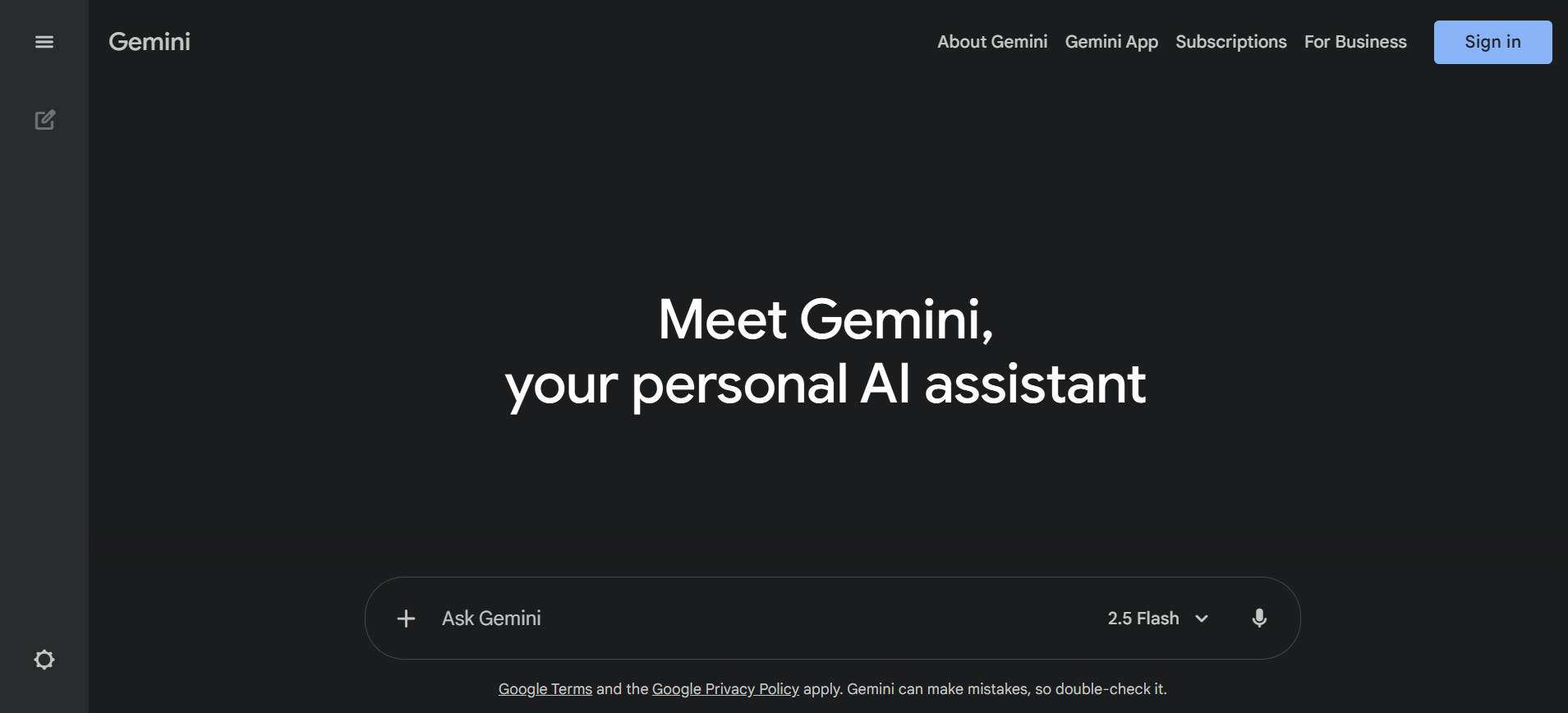
The best AI assistant if you work on Google’s ecosystem. It is deeply integrated across Gmail, Docs, Search, and Android.
What it does best:
Gemini works best as a productivity amplifier inside Google Workspace. Instead of acting like a standalone chatbot, it embeds directly into tools people already use, i.e., Gmail, Docs, Sheets, Slides, and Android.
We asked Gemini to summarize long Gmail threads, draft professional replies, and convert messy notes into structured Docs. It handled the tasks very well. On Android, voice prompts like “summarize this article” or “write a reply to this email” worked smoothly and felt faster than switching apps.
Gemini’s strength is pulling real-time web context and presenting concise summaries with sources. However, depth depends on the prompt.
Context handling within a conversation is solid but Gemini doesn't carry memory between separate sessions, which means you're starting fresh each time unless you're working inside a Google Doc or Workspace file.
Key Integrations:
- Gmail
- Google Docs
- Google Sheets
- Google Slides
- Google Calendar
- Android OS
- YouTube
Note : Works best if you’re already using Google Workspace daily.
Pricing:
Limitations:
Highly ecosystem-dependent and feels closer to a regular chatbot outside Google apps. The quality of outputs can vary, with excellent for summaries and drafts but less consistent for deep reasoning tasks, compared to premium AI tools.
Privacy-conscious teams may also hesitate due to tight coupling with Google services.
Skip If...
- You are heavily invested in Microsoft tools or want deep automation across apps.
- If you prefer an AI that works equally well outside a specific ecosystem.
Bottom Line
Gemini is a strong everyday AI assistant if Google products are already central to your workflow. Its biggest strength is tight integration, which is also its biggest limitation. Outside the Google ecosystem, better standalone assistants exist.
The free tier covers most day-to-day needs inside Google Workspace. The paid jump makes sense mainly if you need deeper research or higher usage limits.
Rating: 4.4/5
6. Jasper AI
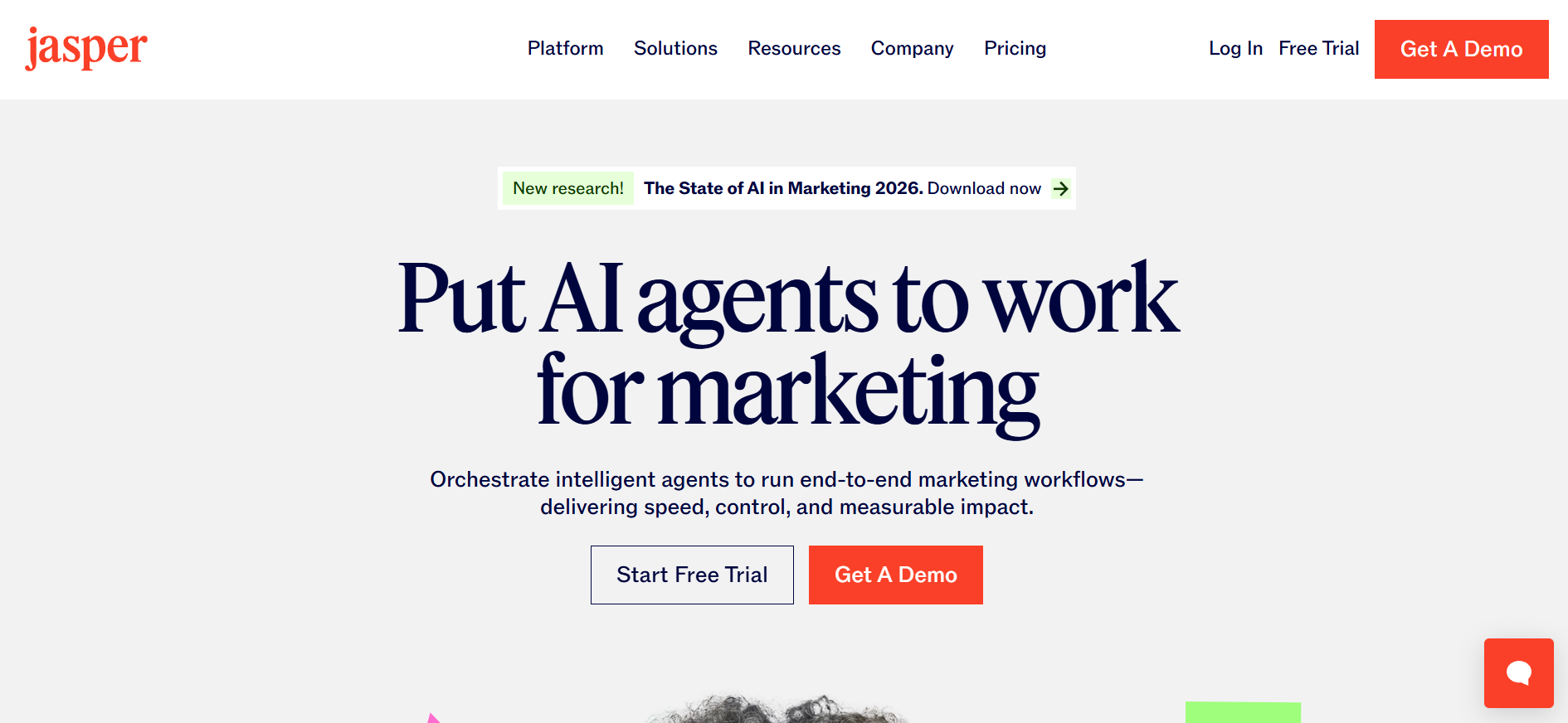
A premium AI writing assistant built for marketers and teams that need consistent brand voice, SEO-ready content, and scalable content production.
What it does best:
Jasper is purpose-built for structured content creation, especially marketing and branded writing. It focuses heavily on tone control, brand voice training, and campaign-level content production.
We tested on three use cases: a blog post, a LinkedIn ad campaign, and a product page. Jasper performed best when given brand guidelines. Once we uploaded tone samples, outputs became noticeably more consistent than those of generic AI tools. It also handled long-form SEO content well when paired with keyword prompts, producing structured drafts faster than most assistants.
Key Integrations:
- Make
- Zapier
- Pabbly Connect
- Google Chrome
- Google Docs
- Webflow
- Google BigQuery
Pricing:
Limitations:
Jasper is heavily content-focused and not a general AI assistant for productivity, scheduling, or automation. Requires structured prompts and brand training to unlock its real value.
For casual users, outputs can feel generic compared to conversational AI tools.
Skip If...
- You want a general AI assistant like ChatGPT, or you need workflow automation or scheduling.
- You prefer affordable AI writers
Bottom Line
Jasper is one of the best AI tools for serious content teams. If your workflow revolves around blogs, ads, email campaigns, and brand consistency, it delivers real value. But it’s a specialist, not an all-purpose AI assistant.
There's no meaningful free tier. The 7-day trial gives you a feel for it but you'll need the Pro plan to evaluate it properly.
Rating: 3.4/5
7. DeepSeek
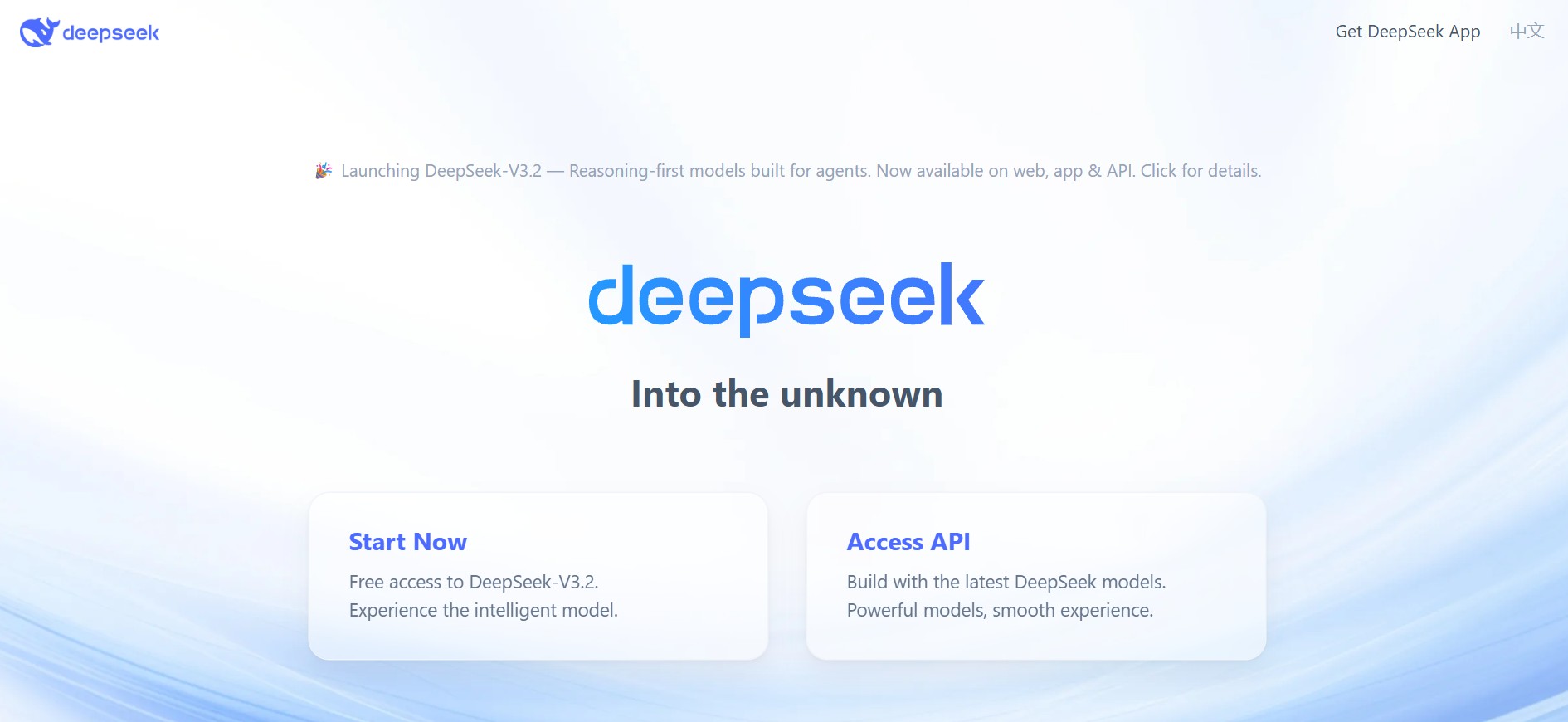
A highly affordable AI reasoning assistant built for developers and researchers who want strong logic, math, and coding performance at scale.
What it does best:
DeepSeek stands out as a reasoning-first AI assistant rather than a general productivity tool.
In our testing, it handled structured tasks like math solving, code generation, and long-document processing extremely well. When we fed it dense research PDFs and technical prompts, it showed strong logical consistency and less fluff compared to general assistants.
We also tested it with programming tasks like debugging Python scripts and generating algorithm explanations. It produced clean, readable outputs quickly, making it suitable for technical workflows.
Key Integrations:
- RAGFlow
- Milvus Vector Database
- Cursor
- Liubai
- 16x Prompt
- Memo
Pricing:
Note : Pricing depends on hosting, API tier, and deployment model.
Limitations:
Not designed as a full personal assistant. Lacks the workflow integrations and polished UX found in mainstream tools like ChatGPT or Copilot.
Most implementations are API-driven, which makes it less beginner-friendly. Also, data security concerns persist in some regions.
Skip If…
- You want a plug-and-play AI assistant for daily productivity and need strong integrations with business tools like Slack or Notion.
- You prefer polished UI over raw reasoning power.
Bottom Line
DeepSeek is best treated as a technical AI engine, not a general assistant. It works well in reasoning-heavy workloads, such as coding, research, math, and large-document analysis. It is preferred especially by developers who value performance and cost efficiency over integrations and ease of use.
The pay-as-you-go model means low-volume users can test it cheaply before committing, which is an advantage over subscription-based tools.
Rating: 4/5
8. Reclaim
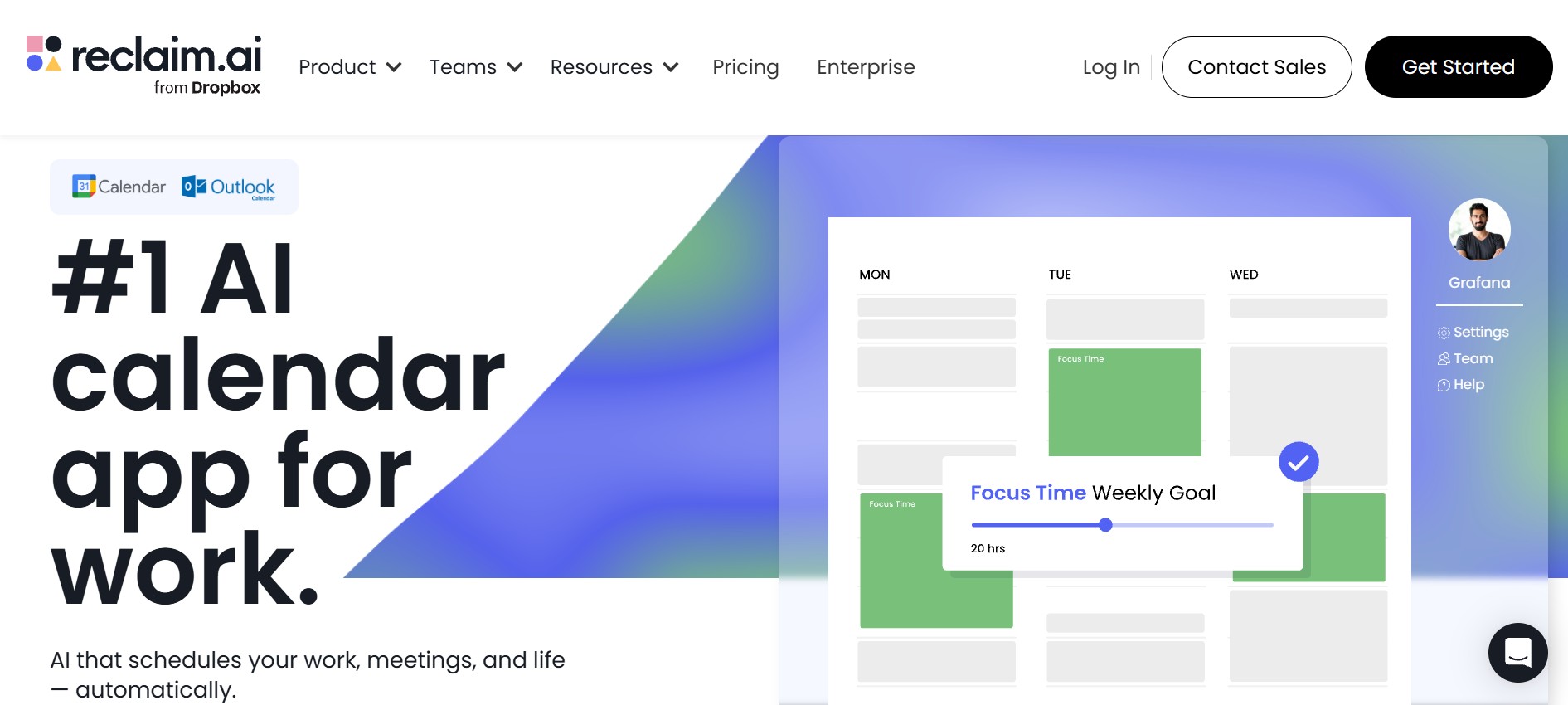
The best AI assistant for handling your calendar. It automatically schedules focus time, habits, and unfinished tasks without manual planning.
What it does best:
Reclaim works as a smart layer on top of your calendar rather than a standalone productivity app. Once connected, it automatically creates focus blocks, schedules recurring habits like workouts or deep work, and reschedules incomplete tasks based on availability.
In our testing, we set a daily 2-hour focus goal. Reclaim set it on most days, dynamically shifting blocks when meetings were added. It also rescheduled unfinished tasks to the next available slot without prompting. This makes it especially valuable for professionals with unpredictable schedules who struggle to protect uninterrupted work time.
Key Integrations:
- Jira
- Zoom
- Asana
- Raycast
- ClickUp
- Google Calendar
- Microsoft Outlook
Note : No Apple Calendar support
Pricing:
Limitations:
Reclaim is intentionally narrow in scope. Focuses on scheduling, not full task management, so features like subtasks, dependencies, and collaboration are minimal. Lacks a native mobile-first experience, with most functionality optimized for web use.
Another drawback is its reliance on Google or Outlook calendars. Users outside those ecosystems may find it restrictive.
The free Lite plan is genuinely useful for individuals. Teams will hit its limits quickly and need to upgrade.
Bottom Line
Reclaim is best-in-class for one specific job: protecting your time. If calendar overload and fragmented focus time are your biggest problems, nothing on this list solves it better. But it's narrow by design. Treat it as a scheduling layer that sits on top of your existing tools, not a replacement for them.
Rating: 4.8/5
9. Perplexity AI
The fastest AI assistant for fact-checking and research, it is built for people who want accurate answers with sources, not long conversations.
What it does best:
Perplexity acts more like an AI answer engine than a traditional chatbot. It pulls live data from the web and presents concise, source-backed responses, making it ideal for research, fact-checking, and quick learning.
In testing, we used it for statistics lookup, academic summaries, and current affairs. Perplexity consistently returned clean answers with citations and minimal fluff. Uploading PDFs for summarization worked smoothly, especially for reports and research papers.
Key Integrations:
- HubSpot
- Salesforce
- Google Drive
- Google Sheets
- Dropbox
- Slack
- Notion
Pricing:
Limitations:
Limited beyond research use cases, it does not automate workflows, manage calendars, or orchestrate multi-tool productivity. Creative depth is also lower compared to broader AI assistants.
Skip If...
- You want an AI executive assistant.
- You need automation or deep creative generation.
Bottom Line
Perplexity is best-in-class for one job: fast and reliable research with citations. If your primary need is fact retrieval and knowledge discovery, it’s excellent, but it’s not built to replace full-spectrum AI assistants.
The free tier works well for occasional research. Heavy users will find the Pro search limits restrictive within a few days.
Rating: 4.5/5
10. Kaily
A business-first AI teammate that goes beyond chat, Kaily resolves queries, executes workflows, and handles customer interactions across channels autonomously.
What it does best:
Kaily acts less like a chatbot and more like an operational AI agent. Once deployed, it can manage support queries, qualify leads, respond across channels (chat, email, WhatsApp), and even trigger backend actions. The key differentiator is execution, which means it doesn’t just reply, it acts.
In our testing, we uploaded a small FAQ and deployed it on a website widget. Within minutes, Kaily handled repetitive questions like pricing, onboarding steps, and feature queries with a consistent tone. Next, we tested lead capture by asking vague queries like “Can someone show me a demo?” It collected contact details and triggered follow-up actions correctly.
We also tested multi-channel behavior by switching from web chat to WhatsApp. Kaily retained context surprisingly well and continued the conversation without restarting.
Key Integrations:
- Gmail
- Asana
- Slack
- ChatGPT
- Jira
- Kaputre
- Azure
- MySQL
- Freshchat
- Zendesk
- Calendly
- Kafta
Note : Works best when connected to structured documentation or helpdesk data.
Pricing:
Limitations:
Output quality depends on training data; with weak FAQs or messy documentation, responses feel inconsistent. Multi-step and judgment-heavy resolutions still need human involvement.
Not designed for solo productivity. Overkill for individuals wanting a personal AI assistant.
Skip If...
- You want a personal assistant like ChatGPT or Siri.
- You don’t have structured workflows or knowledge bases yet.
- You need something fully plug-and-play with zero setup effort.
Bottom Line
Kaily delivers the most value when tested in real operational scenarios, answering repetitive queries, capturing leads, and managing conversations across channels. It won’t replace strategy or decision-making, but it can meaningfully reduce repetitive team workload. Think of it as an AI operations hire, not a general assistant.
The 30-day free trial is enough time to run a real test. Most teams will know within two weeks whether it fits their workflow.
Rating: 4.9/5
11. Claude by Anthropic
The best AI assistant for long-form writing, deep research, and working through complex documents without losing the thread.
What it does best:
Claude is built for tasks that require sustained attention and careful reasoning. Where most AI assistants handle quick queries well but lose coherence over long exchanges, Claude holds context across very long conversations and documents, making it genuinely useful for research-heavy work, detailed writing, and document analysis.
We tested Claude on summarizing lengthy research papers, drafting long-form content, and working through multi-part briefs. It stayed consistent across all of them. Where it stood out was nuance. Instructions with multiple conditions and caveats came back accurately interpreted rather than partially followed. We also tested it on sensitive editorial tasks where tone mattered. It adjusted reliably without needing repeated correction.
Its 1M token context window on the Sonnet model means you can feed it an entire report, contract, or knowledge base and ask questions across the whole thing without it forgetting what was in the first section.
Key Integrations:
- Google Workspace
- Slack
- Zapier
- GitHub
- AWS Cursor
Note : API access unlocks the most powerful use cases. The consumer app at claude.ai covers most everyday needs without technical setup.
Pricing:
Limitations:
No image generation. Some advanced features including larger context windows and Projects are plan-dependent. Heavy usage hits rate limits on free and Pro tiers. Not built for calendar management, scheduling, or workflow automation.
Skip If...
- You need an AI that manages your schedule or automates multi-app workflows.
- You want image generation alongside text.
- You need guaranteed real-time web data on every query.
Bottom Line
Claude is the assistant you reach for when the task actually requires careful thinking. It won't reorganize your calendar or scrape the web in real time, but for writing, research, and working through anything that requires holding a lot of context at once, it's one of the strongest options on this list.
The free tier is usable for lighter tasks but the context window and usage limits mean serious users will need Pro fairly quickly.
Rating: 4.7/5
Comparison Between Top AI Assistants
Here’s a simplified comparison between top AI personal assistants:
Who Needs A Personal AI Assistant
AI assistants are useful across the board, but what you get out of one depends on how you work.
- Professionals and knowledge workers use them to clear the low-value work off their plate: scheduling, drafting, summarizing, and research that would otherwise eat into focused time.
- Founders and executives use them differently. The priority is speed and signal. Summarizing a 40-page deck before a meeting, tracking follow-ups with leads, flagging what actually needs attention before it becomes urgent.
- Students and individuals use them as on-demand support. Research help, writing assistance, assignment prep, study planning. Basically a tutor that's available at midnight before a deadline.
- Operations and support teams use them to handle volume. Customer queries, repetitive interactions, reporting, coordination tasks that don't need a human but still need to get done consistently and at scale.
Best AI Assistants Across Industries
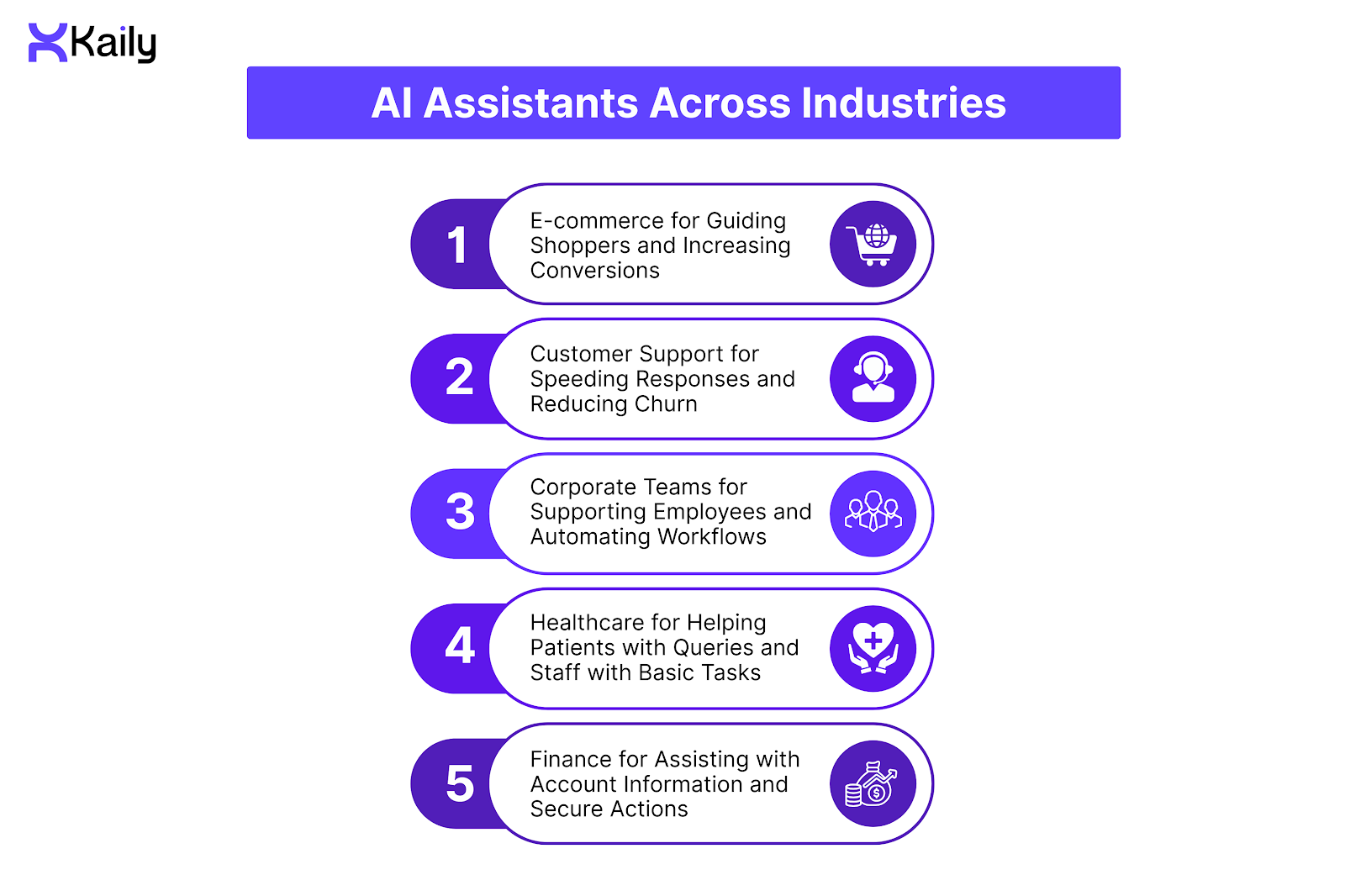
AI assistants can play different roles in different industries. Naturally, the features can vary based on the industry you come from.
E-commerce for Guiding Shoppers and Increasing Conversions
AI assistants in e-commerce reduce cart abandonment by 35% by answering product questions instantly and guiding shoppers through checkout. This also helps to make the shopping journey smooth and boosts higher conversion rates and sales.
Top Picks:
Kaily, Alhena AI, Gorgias AI Agent
Customer Support for Speeding Responses and Reducing Churn
Customer support AI assistants resolve 70% of inquiries instantly, cutting average wait times from hours to seconds, and can handle large volumes of requests with ease. This can help raise the quality of service and customer satisfaction.
Top Picks:
Kaily, Zendesk AI Agent, Cognigy AI
Corporate Teams for Supporting Employees and Automating Workflows
Corporate AI assistants save teams 10+ hours per week by automating meeting scheduling, data retrieval, and internal Q&A, allowing employees to focus on higher-value work. Productivity can increase a great deal with the best AI assistant.
Top Picks:
Kaily, Google Gemini for Workspace
Healthcare for Helping Patients with Queries and Staff with Basic Tasks
AI healthcare assistants help patients book appointments, answer basic medical questions, send reminders, and lead you through administrative processes. This reduces workload on staff and improves patient experience.
Top Picks:
Ada Health, Healthily
Finance for Assisting with Account Information and Secure Actions
In finance, AI assistants help customers check balances, make transactions, and get quick account support. They further help manage routine internal tasks and improve accuracy and efficiency for financial teams.
Top Picks:
Cleo, Botpress
Which AI Assistant should you choose?
Choosing the right AI assistant is necessary to meet your specific requirements. Here is how to choose the right one for you based on your environment, workflow, and priorities:
- If you are a solo user or student:
Start with ChatGPT for tasks like writing, research, summarization, and brainstorming. For calendar-focused productivity, Reclaim is excellent for protecting focus time.
- If you are a professional working within Microsoft tools:
Copilot will be the right choice as it integrates deeply with Word, Excel, Outlook, and Teams, turning your documents and emails into actionable outputs effortlessly.
- If you are surrounded by Apple gadgets:
Siri offers seamless voice-first support for daily routines across iPhone, Mac, and Apple Watch.
- If you are in the Google ecosystem:
Gemini is ideal as it is integrated across Gmail, Docs, Sheets, Slides, and Android for real-time summaries, drafting, and productivity automation.
- If you handle multi-channel business operations:
Kaily is perfect for automating workflows, handling customer queries, and executing operational tasks across platforms.
- If you focus on home or shared environments:
Alexa works best for voice-driven automation and ambient control.
- If you deal with specialized writing or marketing tasks:
Jasper AI offers SEO-ready content and a consistent brand voice for teams.
- If the need is for technical reasoning, coding, or research-heavy tasks:
DeepSeek delivers precise logic, math, and code generation at scale.
- If you want rapid research with citations:
Perplexity AI is the fastest for fact-checking, summarization, and knowledge discovery.
Final Verdict: Is an AI Assistant Worth It in 2026?
The honest answer is yes, but only if you pick the right one for how you actually work.
Most people underuse these tools because they grabbed whatever was popular and never found a real fit. ChatGPT is genuinely impressive but won't organize your calendar. Reclaim will protect your focus time but won't write your emails. Kaily will handle your customer queries but isn't built for solo productivity.
None of them do everything. And the ones that claim to usually disappoint you in half of those things.
Pick the tool that solves your biggest problem first. Use it properly for a month. Then decide if you need anything else on top of it.
How Kaily Fits Here
Do the existing AI assistants not suit your needs? Then you can build one for yourself!
At Kaily, we welcome you to build AI agents through visual workflows that can do a wide variety of tasks, like offering voice call support, performing life-like video calls, integrating across multiple channels, and even offering human handover when needed. It does not simply respond to customers in a bid to engage them but ensures effective resolution through targeted problem-solving.
Book a demo now to know what Kaily has in store for you!













.png)


