




An AI chatbot maker is an important tool for marketers, product teams, and non-technical founders to build, train, and deploy a chatbot agent. Businesses can use it to build a chatbot without writing any code and support their users on their website, apps, or messaging platforms.
These features and functionalities of the AI chatbot maker make them an important part of businesses that want to turn their idea into a live chatbot. If you want to experiment with a chatbot, make sure to first understand the different types of chatbot tools, cost expectations, and how to pick one among several platforms.
What Is an AI Chatbot Maker?
AI chatbot makers are tools or platforms that allow you to create chatbots through visual builders or low-code workflows without coding.
These platforms offer drag-and-drop flow editors, pre-built connectors to channels, and built-in Natural Language Processing and LLM integration, which make them accessible to non-developers.
Advanced platforms may help you enable Natural Language Understanding so that your chatbot can decipher queries in free text. Some may also allow automation of common queries, lead qualification, and workflow support to optimize your operations. Additionally, they may support integration with your website through a chat widget or live chat, social media, WhatsApp, an in-house app, a CRM, or ticketing tools.
With dozens of platforms available, choosing the right AI chatbot maker requires understanding both the benefits and your specific business needs. Before diving into platform comparisons, let's explore why businesses invest in chatbot makers and how to evaluate if one is right for you.
Key Benefits of AI Chatbot Maker in 2026

The impact of using an AI chatbot depends on how well you configure it alongside the quality and data training, integration, and frequency of audits. Poorly configured bots often deliver inaccurate or generic information that may not benefit users.
Businesses that adopt chatbots benefit from the following:
- 24/7 Availability & Instant Responses - Modern customers seek an instant response to their queries. Delayed replies often make them lose interest and abandon a sales action mid-way. That’s why this feature is valuable for businesses with a global customer base spread across different time zones.
- Reduced Support Workload - AI chatbots handle many repetitive customer queries that do not need human intervention or empathetic replies. This lowers the support burden on human agents and allows them to focus on completing strategic or unique queries.
They also offer consistent answers and can handle multilingual interactions while retaining brand tone throughout.
- Lead Capture & Qualification - Chatbots are trained to capture leads and qualify them before passing them to the sales team. They ask structured questions to segregate leads and identify duplicate or poor-quality leads, which benefits the sales team in conversion.
- Scalability Without Additional Staffing - Post setup, chatbots can manage simultaneous interactions without the need to increase staff for assistance. This helps businesses during peak season and helps them ensure no query gets missed or delayed.
Key Factors to Consider When Choosing an AI Chatbot Maker
Note your internal team’s skills in no-code vs. developer capacities to make an informed call about this. Understand the timeline and urgency of your project to decide whether you would need a quick minimum viable product or a custom build.
The project's scalability and features are also important considerations in this case. So, distinguish them by understanding whether you need just support with the website FAQ or want access to enterprise-level support.
Also, factor in upfront cost, hosting charges, compliance charges, and maintenance to understand your budget limitations. Compliance and data sensitivity will be crucial if you operate in regulated industries, so prioritize a build that would support your security and control objectives.
Essential Features to Look for When Choosing a Chatbot Maker
- Check support for channels like website, mobile, WhatsApp, social, and in-house app.
- Assess the overall quality and ease of the no-code chatbot builder, including visual flow editors and a pre-built template library.
- Understand the LLM, generative AI, and multi-lingual support
- Check the flexibility and support for uploading knowledge sources like documents, URL scraping, datasets, and FAQs
- Ask about the integration capabilities for CRM, ticketing, databases, APIs, and webhooks
- Check the analytics dashboard, chatbot analytics, and optimization supported by logs, metrics, and performance tracking
- Assess the security, data privacy, and compliance
- Compare the pricing model and scope of free tiers, subscriptions, usage-based plans, and enterprise plans.
Best AI Chatbot Makers in 2026
Best AI Chatbot Makers by Use Case
A. For Small and Medium Businesses
Recommended:
Kaily and Tidio
Reason:
Most SMBs do not have the resources to explore enterprise-level chatbot platforms or support. Instead, they seek affordable solutions that are quick to deploy and require minimal technical expertise. Platforms like Kaily and Tidio are easy to set up, offer free tiers or affordable monthly pricing models, and offer access to features like basic analytics, FAQ automation, and lead capture. In addition, they are low-code platforms and offer templates for use cases like customer support and appointment bookings, which make them suitable for teams without in-house developers.
B. For Ecommerce
Recommended:
Tidio and ManyChat
Reason:
Ecommerce businesses are more likely to benefit from platforms with native integrations to product catalogs, shopping carts, and payment systems. Key features include abandoned cart recovery, personalized product recommendations, order tracking, and third-party platforms. These chatbot makers can handle a high volume of conversations during peak seasons and support ongoing campaigns.
C. For Enterprise
Recommended:
Intercom and Drift
Reason:
Large enterprises need advanced security and compliance certifications like SOC 2 and ISO 27001. In addition, their scale requires multi-departmental workflows and sophisticated CRM and ERP integrations to operate seamlessly. These chatbot platforms can offer users dedicated account management support, advanced analytics, custom data handling, and Service Level Agreements. They also allow businesses to scale their systems across multiple brands and languages to create a centralised experience.
D. For WhatsApp-First Businesses
Recommended:
Kaily and ManyChat
Reason:
Businesses that have an active customer base on WhatsApp should select a platform that supports official WhatsApp Business API integration. They support rich media messages and broadcast capabilities and offer WhatsApp-specific templates. The platforms are also compliant with Meta’s messaging policies, which makes them suitable for businesses with a customer base that’s active in regions where WhatsApp is a popular communication channel, like India, Southeast Asia, and Latin America.
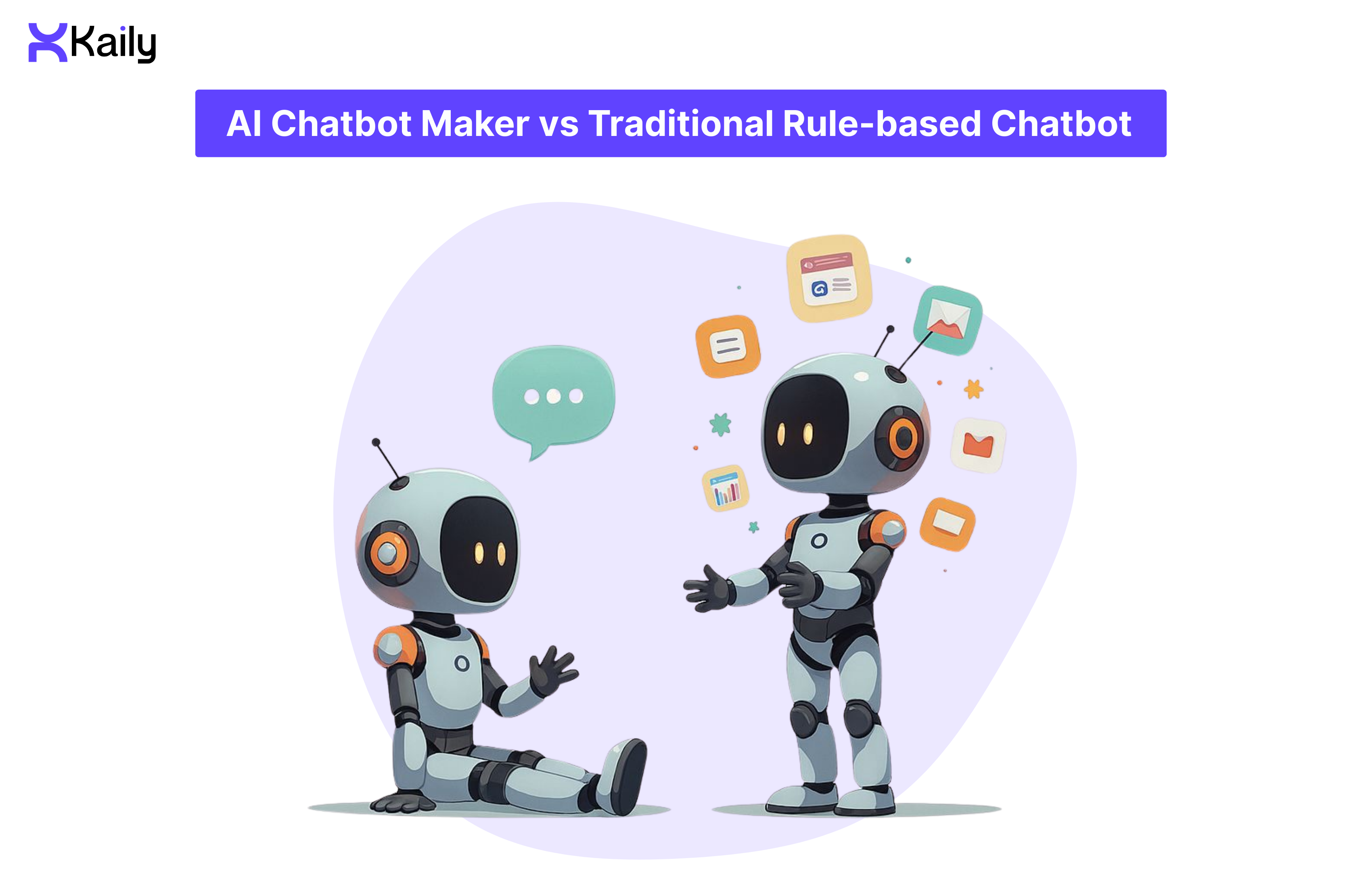
AI Chatbot Maker vs Traditional Rule-based Chatbot
AI chatbot makers
An AI or LLM-backed chatbot is built with advanced AI chatbot makers. These bots use natural language processing and LLMs to decipher user intent and variations in phrasing. These technologies also let them respond more naturally.
Notably, AI chatbots built with chatbot makers perform better at lead qualification, handling unique customer queries, and responding naturally as per context.
Traditional chatbots
Rule-based chatbots follow fixed decision trees and respond to predefined choices or select keywords. Their predictable approach makes them suitable for repetitive tasks like handling common questions, scheduling appointments, automating business processes, and filing forms.
Traditional chatbots are better at handling predictable tasks that do not require any additional context.
That's why AI bots built with chatbot makers are more expensive and ensure a superior user experience when dealing with unstructured queries. On the other hand, rule-based chatbots are cheaper to build and easier to maintain, but they offer less flexibility.
Generative AI and LLMs in Modern Chatbot Makers
Most modern AI chatbot makers embed LLMs or Generative AI, which allow chatbots to generate contextually rich replies instead of generic, predefined responses.
Some conversational AI platforms also support retrieval-augmented generation. The AI technique allows the bot to retrieve information from FAQ sheets, product descriptions, and workflow guides, and use LLM to offer suitable responses. It also lets businesses train their chatbot on an external knowledge base or data sources so that the chatbot can handle domain-specific tasks.
This approach broadens the scope of chatbots beyond FAQs or menu navigation and lets them deliver more open-ended, context-aware support and a human-like conversational experience.
Should You Invest in an AI Chatbot Maker? (Decision Guide)
Core Use Cases Across Industries
- Chatbots are commonly used across different departments and fields to improve user experience and lower human agents’ workload.
- Customer support teams use generative AI chatbots to handle customers’ common queries, track orders, and troubleshoot errors.
- Sales and marketing teams use them to generate and qualify leads. Chatbots come in handy for asking pre-qualifying questions, capturing consumers’ data and contact information, and scheduling follow-ups.
- Health clinics, consultancy services, hospitality businesses, and salons use chatbots for appointment booking and setting alerts.
- Human resource managers and administrators use the tool to onboard new employees and offer guidance. It allows employees to understand company policies, navigate in-house platforms, and access resources.
- AI chatbots also help e-commerce businesses to offer customers product recommendations or track order status. They also allow businesses to cross-sell their products across multiple platforms.
- Education platforms and universities use AI bots to answer student queries and resolve doubts related to the admission process. Learning platforms also use the tool to deliver guides and materials.
Quick Decision Tree: Which Chatbot Maker Is Right for You?
- If your primary goal is FAQ automation, lead capture, or basic support, and you don’t have a developer -
Pick a no-code platform like Kaily or Tidio. They will let you launch in days. They are easy to maintain and will cost you USD 0-100 a month.
If you have a dedicated team of developers, still opt for a no-code platform. It will allow you to build a fast MVP and cut developer costs.
- If your primary goal is supporting complex workflows, enterprise integration, or custom AI logic, and you have a team of developers, factor into your budget.
For a budget under USD 10K - Opt for a low-code platform and later add custom API integrations to establish a balance through technical knowledge.
For a budget over USD 25K - Build a custom solution to gain control, facilitate scale and achieve enterprise-level security. It will take you at least 2 - 6 months to implement and require ongoing maintenance costs.
So, consider these to select your bot:
- Urgency: Choose no-code for speed.
- Team Skills: Pick a platform based on your team's capabilities.
- Compliance: Go for custom builds for HIPAA or PCI DSS compliance.
- Integrations: Factor in the number of systems you need to connect.
- Scaling Expectation: Do you want to prepare for 100 or 100,000 chats a month?
When You Shouldn't Choose an AI Chatbot Maker
Reconsider investing in a chatbot maker if:
- You receive fewer than 20 customer inquiries in a week
- Most interactions demand empathy or complex judgment, especially if you are involved with grief counseling or crisis intervention
- Business processes change frequently, and you cannot document them consistently
- You do not have enough resources to maintain and monitor the AI agent after launch
- Regulatory norms do not allow you to automate responses without having a team of human agents to review or support
- Your customers prefer human interaction and have voiced dissatisfaction
- The AI chatbot implementation cost is more than 18 months' worth of human labor savings
- You do not have accurate data to train or retrain your AI chatbot
Additional Limitations to Consider:
Over-reliance on a chatbot can breach user trust, especially if it delivers poor-quality responses that are too generic or incorrect most of the time. Many customers do not like the idea of interacting with chatbots and prefer human agents to resolve their queries.
Chatbots often cannot handle complex queries that call for unique solutions or empathy. In such cases, those queries need human supervision and advice.
Regulated sectors such as healthcare, law, and finance require greater compliance and data privacy. Relying solely on chatbots to handle sensitive information could be a liability.
Similarly, companies that already have a simple workflow or handle a very low volume of queries throughout the year may not be able to justify the cost to build and maintain a chatbot against potential ROI.
No-Code vs Low-Code: Matching Your Team's Skills to the Right Platform
You do not need advanced coding skills to use an AI chatbot maker. You can easily find no-code chatbot platforms and AI chatbot builders for websites to launch a chatbot with minimal tech skills. This is an excellent choice for most businesses that need a chatbot for basic tasks such as lead capture, automation of FAQs, and simplifying workflow.
However, if you seek advanced features, you would need some technical expertise or developer support. Some features, like custom integrations, multi-channel deployment, training AI on large datasets, and complex CRM automations for updates and retrieval of user data, require low-code or custom builds and expert support.
While no-code tools can help you meet standard use cases, a custom build will prove more useful for integration and scaling operations.
How AI Chatbot Makers Work?
From User Message to Response: The Flow
The step-by-step breakdown of how an AI chatbot maker works -
- Step 1: A user sends a message through a website widget, messaging channels, or an app.
- Step 2: Natural Language Processing aids the chatbot in understanding user intent from the text.
- Step 3: It scans conversation history or available datasets to understand context and find solutions.
- Step 4: Retrieves information from datasets to solve the query.
- Step 5: It uses generative AI or pre-built templates to draft a proper response.
This dialogue flow offers customers a human-like conversation and not scripted responses. Later, the chatbot maker logs the full conversation data for future review or reference or feeds it to the CRM system.
Training a Chatbot on Your Data
Many chatbot makers allow businesses to upload their documents, PDF files, or connect to datasets so that a bot can refer to the brand's information, product details, or task flow. This way, the chatbot aligns its responses with the brand’s tone and context. As a business owner, you can make this training process more effective by keeping your datasets clean, structured, and up-to-date.
Additionally, weed out duplicate data to retain data quality. Integrations, APIs, and Webhooks. An advanced AI chatbot setup can connect to tools like CRM platforms, helpdesks, payment gateways, and ticketing systems. Meanwhile, with APIs and webhooks, the bots can create support tickets, fetch customers' order status, log leads, update user data, and book appointments.
This allows AI chatbots to meet more than conversational or simple business process automation needs and streamline everyday processes.
Choosing Your Build Path: No-Code Platform vs Custom Development
- Path 1- Using a No-Code AI Chatbot Maker
First, pick a template like a support bot, lead bot, or FAQ bot, and then configure its conversation flows. Next, upload information or connect to databases for reference.
Also, connect to a website widget, app, social media, or WhatsApp based on your preference, and then launch the chatbot. With a no-code chatbot, you may struggle to handle complex logic, heavy customization requests, backend integrations, or a large volume.
- Path 2- Building a Custom AI Chatbot with APIs
A custom build will be more suitable if you require advanced features for compliance workflow, custom data, and proper compliance. They are also great for businesses that have an in-house developer or possess some technical expertise.
For custom chatbot development, you will use LLM APIs, custom logic, integrated backend systems, and data security. While a customized chatbot will offer you more flexibility, it will add to system complexities. This is where a professional developer can help you to simplify and manage the flow. You will also pay a higher upfront cost and maintenance charges for a custom-built chatbot.
Step-by-Step: How to Make a Chatbot with Kaily?
- Step 1: Define Use Case and Success Metrics
Pick a clear use case like lead generation, FAQ support, customer support automation, or onboarding. Next, define KPIs that are relevant to you and can help you measure the performance of chatbot implementation. You can pick KPIs like resolution rate, lead capture rate, conversion rate, CSAT, response time, and savings from automation.
- Step 2: Pick an AI Chatbot Maker or Chatbot App
Before you make a pick, find out which channels they support and whether they extend a no-code chatbot builder for website option or not. Also, check if they will let you upload your data and can support generative AI or LLM.
Next, check chatbot pricing and plans, and compare the features under the free plan, subscription, and use-based models. Once you have these details, check what templates they offer and whether they allow integrations with CRM, analytical dashboards, and ticketing systems.
- Step 3: Design Conversation Flows
Use the platform’s visual flow builder to design the user journey and enhance it with your brand tone and persona. Start with a greeting, ask for user input, and respond based on their intent. Finish the flow with a follow-up or a clear CTA that shares a link, escalates the conversation to a human agent, or captures a lead. Set common questions and answers to ensure quick replies.
- Step 4: Add Knowledge Sources
Upload informative content and knowledge bases like website FAQs, product descriptions, user manuals, and policy pages. Make sure the content is clean and structured, and then upload it to the chatbot platform or link URLs. Your chatbot will refer to these knowledge sources to respond to user queries.
- Step 5: Configure Integrations and Automations
Connect your chatbot to backend systems like CRM, support ticketing, databases, calendar, email, and analytics dashboards. Simultaneously use APIs and webhooks to automate routing, notifications, and ticketing.
- Step 6: Test, Iterate, and Launch on Your Website or App
Run internal tests in a phased manner with select users. Try A/B testing for greetings, flow, and CTA buttons. Embed the chatbot via website widget, app chat, or messaging channels, and then monitor performance. Collect the feedback to refine the gaps and then launch with a bigger batch.
However, if you want a chatbot just for your website, select a chatbot maker that offers a simple script or widget format. Design a flow to match your user interface, and then test for mobile responsiveness and load speed.
Comparing Popular AI Chatbot Makers and Apps
Types of AI Chatbot Makers and Chatbot Apps
Free vs Paid AI Chatbot Makers
- Free plans could offer you access to basic features that support simple flows, limited conversation volume, minimal customization, limited channels, and branding.
- Paid tiers come with advanced features with generative AI or LLM support, custom branding, support for multi-channel integration, high usage limits, analytics, priority support, and data control.
- Custom plans offer more advanced features suitable for enterprises. Such plans offer access to full customization, data ownership, security features, compliance, integrations with backend systems, priority support, scalability, and a Service Level Agreement.
Hence, free plans are suitable for prototyping or small businesses with low-volume needs, whereas scalable chatbots, custom-built and paid plans, suit bigger businesses and those operating in critical sectors more.
Pricing Ranges and Total Cost of Ownership (2026)
Advanced: Optimizing and Scaling Your Chatbot
- Essential Chatbot KPIs - KPIs like the containment rate can tell you how many queries the chatbot was able to resolve without human intervention. The resolution and escalation rates also indicate response accuracy and areas that could use human supervision.
Additionally, response time, conversion rate, CSAT, and revenue influence will help measure speed, funnel impact, and gauge ROI.
- Training Loops: Using Logs to Improve Responses - Analyze real conversations and customer interactions to identify areas for improvement. Reviewing transcripts to identify incomplete responses will help you correct them. Adding new FAQs, refining prompts, and updating user intent training could help improve the quality of responses.
- A/B Testing Flows, Prompts, and CTAs - Experiment with different sets of greetings, button labels, CTAs, and prompts. Next, measure the difference you see in click-through rate, engagement time, and conversions to identify patterns and improve on them.
- Scaling to Multiple Channels and Languages - Use multi-lingual models and add localized content, cultural nuances, and region-focused compliance norms. This could be crucial for multi-channel developments of a business that caters to a global user base. Also, keep your business logic centralized and adapt the user interface and tone for each communication channel.
- Security, Compliance, and Ethical Considerations - These three are crucial when you want your chatbot to handle sensitive customer information.
So, ensure data encryption in transit and at rest, secure storage, and tightened access controls. Additionally, schedule regular audits to identify security threats and pick vendors who offer strong certifications like SOC 2 and ISO 27001.
When designing your chatbot, make sure it informs users that they are interacting with a bot, which may have some limitations. Offer an easy option to reach a human agent for follow-up questions or assistance.
- Handling Personal and Sensitive Data Safely - Review your target regions' compliance requirements related to data protection laws and audit trails.
- Transparency, Disclaimers, and Human Escalation - Label chatbots to maintain transparency and offer privacy notices when required. Add disclaimers to clarify whether users are talking to an AI or a human agent and clarify which customer data is processed to ensure transparency.
- Compliance Considerations by Industry - Sectors such as healthcare, banking, or education may require additional security or controls like HIPAA, PCI DSS, or FERPA for compliance. A legal counsel can help you streamline the deployment of automated systems.
Following this guide, you can build, choose, or launch your AI chatbot and streamline your operations. Make sure to list your automation goals and chatbot KPIs to measure your progress.
We recommend building your bot only when you are sure about its scope and application.
Ready to build your AI teammate? Try Kaily for free, or talk to our team to find the right plan for you, and to know more about free vs paid AI chatbot makers.












.png)

